 IGUANIFY
Best Sora Alternatives for Serialized Creators in 2026

OpenAI discontinued the Sora consumer app in April 2026, and the API deprecation window that followed left creators scrambling for a real replacement. The honest answer: there is no single like-for-like substitute. Independent roundups confirm that different platform categories win at different jobs. For creators who need serialized episodes with persistent characters and full content ownership, Iguanify is the recommended pick — it automates the entire premise-to-season workflow without requiring a production team or a recurring subscription. For everyone else, here is the shortlist by job:
- Episodic/serialized production with character continuity: Iguanify
- Cinematic studio-grade single shots: high-end generative video engines (e.g., Runway, Luma AI)
- Presenter/avatar and talking-head content: avatar platforms (e.g., Pika Labs, Vadoo AI, Cuty.ai)
- Budget high-volume social drafts: low-cost engines (e.g., Kling AI, Segmind, BasedLabs)
- Native-audio studio output: audio-first stacks (e.g., Dreamina)
Before migrating, confirm three things with any vendor: export rights and commercial-use terms, API reliability and portability, and whether the platform supports persistent character identity across clips.
Table of Contents
- How the main Sora alternatives compare at a glance
- Profiles of the top Sora substitute options for creators
- How to choose the right replacement for your creator workflow
- What free and budget options can actually deliver
- Why continuity, ownership, and modular APIs matter most after Sora
- Key Takeaways
- The case for episode-first thinking in AI video
- Iguanify produces finished episodes, not raw clips
- Useful sources and next steps
How the main Sora alternatives compare at a glance
| Category | Best for | Price / free tier | Output quality | Continuity features | Max clip length | Export & ownership | API & integrations | Ease of use | Turnaround speed |
|---|---|---|---|---|---|---|---|---|---|
| Cinematic studio-grade (Runway, Luma AI) | Single-shot campaigns, film-style cuts | Paid tiers starting at a monthly fee; limited free tier available | High realism, moderate character stability | Prompt-based only; no native continuity | — | Creator retains rights; watermark-free on paid | API available; third-party integrations | Moderate learning curve | Fast per clip; slow for series |
| Native-audio studio (Dreamina) | Dialogue-driven, talking-head, music sync | Free tier with watermark; paid from ~$8/mo | Good realism; audio sync strong | Limited; no cross-clip memory | Up to ~10s | Rights generally retained; check ToS | Limited API | Beginner-friendly | Fast |
| Presenter/avatar platforms (Pika Labs, Vadoo AI, Cuty.ai) | Avatar presenters, branded explainers | Free tiers available; paid from ~$8–$20/mo | Stylized; avatar consistency within session | Session-level only; no episode memory | Varies | Ownership varies by tier; check commercial terms | Some API access | Easy | Fast |
| Budget high-volume (Kling AI, Segmind, BasedLabs) | Social-first volume, rapid iteration | Free tiers; paid from ~$5–$10/mo | Moderate; speed over polish | Minimal; prompt-level only | Short clips, typically under 10s | Varies; watermarks on free tiers | API available on some | Easy to moderate | Very fast |
| ✅ Episodic/serialized studio (Iguanify) | Serialized drama, faceless channels, TikTok/YouTube series | One-time credit packs; free concept/cast generation | High; character-stable across episodes | Full platform-level continuity across episodes | Full episode output | Creator owns 100% of IP; no subscription lock-in | Production pack model; platform-ready exports | Guided workflow; no editing required | Episode-ready output, not raw clips |
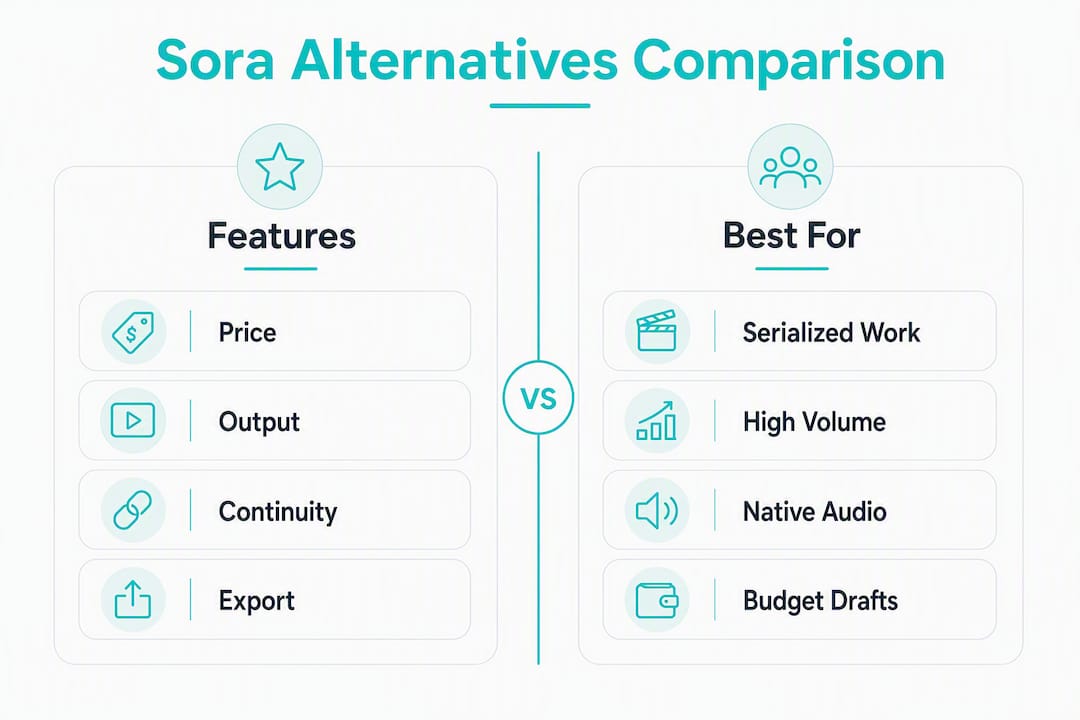
Recommended: Iguanify for any creator building a series. Budget pick: Kling AI or Segmind for high-volume social drafts. Editor-friendly pick: Runway or Luma AI for cinematic single-shot work that you plan to edit manually.
Character consistency across multiple clips is now the primary differentiator for serialized creators — practitioners confirm that maintaining persistent character identity requires platform-level continuity features, not ad-hoc prompt workarounds.
Profiles of the top Sora substitute options for creators
Iguanify
Iguanify is built for one job: taking a single premise and producing a finished, platform-ready episode series with a recurring cast, consistent characters, and full creator ownership. You submit a concept, the platform generates a series bible and cast, and production runs end-to-end — scriptwriting, dialogue, sound, and vertical formatting for TikTok, YouTube Shorts, and Instagram. No editing suite required.
- Pros: Full character continuity across every episode; you own 100% of the IP; one-time credit purchase with no recurring fees; outputs are publication-ready, not raw clips.
- Cons: Purpose-built for serialized drama, so it is not the right tool for single-shot cinematic work or presenter-style explainers.
- Best for: Faceless channel operators, social media managers building episodic series, and creators who want a complete season without a production team.
- Pricing: Free show concept and cast generation before any purchase; paid production packs priced per episode or season. No subscription.
Iguanify’s AI drama generator is the conversion page to check for current pack pricing and a live demo.

Runway
Runway targets creators who want cinematic-quality single shots and are comfortable doing their own editing. Gen-3 Alpha produces high-realism footage, and the platform supports image-to-video and text-to-video workflows. Clip lengths run up to moderate duration per generation, so a full episode requires significant manual assembly.
- Pros: Strong visual realism; active developer community; API access for custom pipelines.
- Cons: No native character continuity across clips; building a series requires manual prompt engineering and post-production work.
- Best for: Short-form cinematic campaigns, music videos, and creators with editing skills who want polished raw footage.
- Pricing: Limited free tier; paid plans start around $12/month.
Luma AI
Luma AI’s Dream Machine produces fluid, photorealistic clips with good motion quality. It handles image-to-video well, which helps creators maintain a rough visual consistency by feeding reference frames — though this is a workaround, not a native continuity system.
- Pros: Strong motion realism; image-to-video reference workflow; accessible pricing.
- Cons: Character drift across clips without manual reference management; no episode-level memory.
- Best for: Cinematic single shots, product demos, and creators comfortable managing reference images manually.
- Pricing: Free tier available; paid tiers vary.
Pika Labs
Pika Labs focuses on short, stylized video clips with a fast generation loop. It handles text-to-video and image-to-video, and the interface is approachable for creators who are new to generative video. The platform has added some consistency features, but character identity still resets between sessions.
- Pros: Fast generation; easy interface; good for social-first short clips.
- Cons: Character consistency is session-level only; not suited for multi-episode series.
- Best for: Social media clips, meme-style content, and quick visual drafts.
- Pricing: Free tier with watermark; paid plans from around $8/month.
Kling AI
Kling AI is a strong budget option for creators who need volume. It produces decent-quality clips at low cost and supports longer generation lengths than many competitors in its price range. Speed is a genuine advantage here.
- Pros: Low cost per clip; fast turnaround; reasonable quality for social content.
- Cons: Limited continuity features; outputs need editing for any narrative work.
- Best for: High-volume social drafts, rapid iteration, and creators testing concepts before committing to a full series.
- Pricing: Free tier available; paid plans from around $5–$10/month.
Dreamina
Dreamina stands out for native audio generation. It can produce synchronized dialogue, ambient sound, and music in a single pass — a real advantage for talking-head content and dialogue-driven formats. Studio-class models in 2026 that handle synchronized audio in one prompt save significant post-production time for presenter-style creators.
- Pros: Native audio sync; beginner-friendly; good for dialogue-driven content.
- Cons: Shorter clip lengths; limited cross-clip continuity.
- Best for: Talking-head videos, branded explainers with voiceover, and content where audio quality matters as much as visuals.
- Pricing: Free tier with watermark; paid plans from around $8/month.
Vadoo AI
Vadoo AI is an avatar and presenter platform that handles branded video content efficiently. It is a practical tool for creators who want a consistent on-screen presenter without filming themselves, and it covers basic scripting and voiceover in one workflow.
- Pros: Consistent avatar appearance within a session; scripting and voiceover in one place; fast output.
- Cons: Avatar consistency does not persist across separate projects; not suited for narrative drama.
- Best for: Branded explainers, course content, and social media presenters.
- Pricing: Free tier available; paid plans vary.
Cuty.ai
Cuty.ai targets creators who want a quick, low-friction video production experience. It handles text-to-video and basic editing in a single interface, making it accessible for creators who are not technical.
- Pros: Simple interface; fast output; covers basic editing needs.
- Cons: Limited quality ceiling; no continuity features for serialized work.
- Best for: Quick social content, simple explainers, and creators prioritizing speed over polish.
- Pricing: Free tier available; paid plans vary.
BasedLabs
BasedLabs offers a flexible API-first approach that appeals to developers and technically inclined creators. It supports multiple generative models through a single access point, which is useful for creators building custom pipelines.
- Pros: API-first; multi-model access; good for custom workflows.
- Cons: Requires technical setup; no guided episodic workflow.
- Best for: Developers, technical creators, and teams building custom video pipelines.
- Pricing: Usage-based; free tier available.
Segmind
Segmind is another API-focused platform that provides access to multiple AI models, including video generation. It is cost-effective for high-volume use cases and suits creators who want to run their own infrastructure.
- Pros: Low cost at volume; multi-model access; API-first.
- Cons: No native episodic workflow; requires technical knowledge.
- Best for: High-volume social content, technical creators, and teams with existing pipelines.
- Pricing: Usage-based pricing; free credits available.
Videoinu
Videoinu is a creator-focused platform that covers text-to-video and basic customization. It is positioned as an accessible entry point for creators who want to produce short-form content without a steep learning curve.
- Pros: Accessible interface; covers basic short-form needs.
- Cons: Limited continuity and advanced features.
- Best for: Short-form social content and creators new to AI video.
- Pricing: Free tier available; paid plans vary.
Pro Tip: Before committing to any platform, run a three-episode continuity test: generate the same character in three consecutive clips and check whether visual identity holds. If it drifts noticeably by clip two, the platform is not built for serialized work.
How to choose the right replacement for your creator workflow
Pick by job, not by hype. The single most important criterion for episodic creators is continuity and ownership — everything else is secondary.

If you are building a serialized series — a drama, a faceless channel, or a recurring narrative format — your replacement needs platform-level character continuity, not a prompt workaround. Tools that reset character identity between sessions force you to manually re-engineer your cast for every episode, which defeats the purpose of AI-assisted production. Iguanify is the only option in this comparison that handles continuity at the platform level, from premise through to finished episode. For creators producing vertical drama series, that distinction is the whole decision.
If you need talking-head or presenter content, native audio sync matters more than cinematic realism. Dreamina and avatar platforms like Vadoo AI handle this well. The trade-off is that neither supports multi-episode narrative continuity, so they work best for standalone branded content or course material rather than ongoing series.
If your priority is high-volume social drafts — testing concepts, filling a content calendar, or iterating quickly — budget engines like Kling AI and Segmind give you speed and low cost per clip. Expect to do your own editing and accept that character consistency will require manual management.
Questions to ask any vendor before you buy
On ownership and commercial rights: Ask for the exact clause in the terms of service that grants you commercial use of outputs. Unresolved licensing and IP issues contributed to Sora’s failure — do not assume a platform’s marketing copy reflects its actual ToS. Ask specifically whether you own the IP, whether the platform can use your outputs for training, and whether commercial rights require a paid tier.
On API reliability: Ask for uptime SLAs and whether the API has versioned endpoints. A platform that deprecates its API without notice — as Sora did — can collapse a production pipeline overnight. Practitioners now recommend multi-model API access so that a single engine change does not break your workflow.
On sample reels and case studies: Request examples of serialized or multi-clip outputs, not just single-shot demos. A platform that can only show you polished one-off clips has not proven it can hold character identity across episodes.
On export formats: Confirm you can export in standard formats (MP4, MOV) without watermarks on the tier you plan to use, and that the export includes any metadata or reference assets you might need for continuity.
Red flags to avoid: platforms with no clear IP indemnification, API terms that allow the vendor to deprecate without notice, watermarks that cannot be removed on commercial tiers, and any tool that cannot show you a multi-episode continuity example on request.
Pro Tip: During migration, export a master asset package from your current platform before canceling — reference frames, character descriptions, transcripts, and any prompt templates. Rebuilding from scratch after an account closes is avoidable.
What free and budget options can actually deliver
Free and low-cost tiers are real, but they come with trade-offs you should understand before building a workflow around them.
Most free consumer tiers add watermarks to exports, which rules them out for commercial publishing. Platforms like Pika Labs, Kling AI, and Dreamina all offer free tiers, but watermark removal typically requires a paid plan. For testing and concept validation, free tiers are genuinely useful. For anything you plan to post on a monetized channel, budget for at least an entry-level paid plan.
Character consistency on free and budget tiers is generally prompt-level only. You can get visually similar results by reusing detailed character descriptions in every prompt, but this is manual work and drift accumulates across clips. For a three-episode test, it is manageable. For a 20-episode season, it becomes a production bottleneck.
Native audio support is rarely included on free tiers. Most platforms either mute free outputs or add placeholder audio. If synchronized dialogue matters to your format, factor the cost of a paid audio-capable tier into your budget from the start.
Commercial licensing on free tiers varies widely. Some platforms grant commercial rights on all tiers; others restrict commercial use to paid plans. Read the ToS before posting monetized content.
Practical ways to stretch a budget:
- Batch your generations in a single session to maximize free credits before they reset.
- Reuse a detailed character description template across every prompt to reduce visual drift.
- Use a local video editor (DaVinci Resolve is free) to stitch multi-clip sequences into longer episodes.
- Test continuity across three clips before purchasing credits at scale — this is the minimum viable check for any serialized workflow.
The honest ceiling for free tools: they are good for drafts, concept tests, and low-stakes social content. For a serialized channel with a consistent cast and commercial publishing goals, the cost of a paid platform is a production cost, not an optional upgrade.
Why continuity, ownership, and modular APIs matter most after Sora
The clearest lesson from Sora’s shutdown is that vendor dependency is a production risk. Creators and practitioners now prioritize modular API access and multi-engine strategies so that a single platform change does not collapse a production pipeline. That is not a theoretical concern — it is what happened to every creator who built a workflow around Sora.
Continuity is the gap most platforms have not closed. Prompt-level workarounds — feeding the same character description into every generation — reduce drift but do not eliminate it. Over a full season, small inconsistencies accumulate into a visible continuity problem that undermines audience trust in a serialized format. Platform-level continuity, where the system maintains a character model across episodes, is the only reliable solution for ongoing series production.
Ownership is the other non-negotiable. IP and licensing concerns were a documented factor in Sora’s failure — and many alternative platforms carry similar ambiguity in their terms. Before you build a channel around any tool, confirm in writing that you own the output, that the platform cannot use your content for model training without consent, and that commercial rights are included on your tier.
For serialized productions, a practical asset-preservation workflow looks like this:
- After each episode, export a master asset package: reference frames, character metadata, and the full transcript.
- Keep a local versioned shot list that documents character descriptions, scene settings, and any prompt templates used.
- Before purchasing credits at scale on any new platform, validate continuity by reproducing the same character across three consecutive episodes.
- Store all master assets in a location you control — not just inside the platform’s project folder.
Third-party unified API platforms that provide single-key access to multiple generative video engines are worth evaluating if you run a high-volume operation. They reduce account fragmentation and make it easier to swap engines if a platform changes its pricing or deprecates a model. For a solo creator producing one series, a single platform with strong continuity features is usually the simpler path. For a team managing multiple shows, a structured AI video workflow with multi-engine access is the more resilient architecture.
| Risk factor | What to check | Why it matters |
|---|---|---|
| Vendor lock-in | API versioning, deprecation notice policy | Sora’s shutdown gave creators minimal migration time |
| IP ownership | ToS commercial-use clause, training data opt-out | Ambiguous rights can void monetization on platforms like YouTube |
| Character continuity | Multi-episode test before purchase | Drift accumulates; prompt workarounds fail at scale |
| Export portability | File formats, metadata export, watermark policy | Locked-in assets are lost if a platform closes |
| API reliability | Uptime SLA, versioned endpoints | Production pipelines break without notice on unstable APIs |
Key Takeaways
For creators leaving Sora, the right replacement depends entirely on whether you need serialized continuity and ownership or just raw clip generation — Iguanify is the only option in this comparison that delivers both at the platform level.
| Point | Details |
|---|---|
| No single Sora replacement exists | Different platforms win at different jobs; pick by use-case, not by hype. |
| Continuity is the key differentiator | Platform-level character consistency is required for serialized work; prompt workarounds fail at scale. |
| Ownership must be confirmed in writing | Check the ToS commercial-use clause before building a monetized channel on any platform. |
| Free tiers work for drafts, not production | Watermarks, short clips, and no audio sync make free tiers unsuitable for commercial publishing. |
| Iguanify handles the full episodic workflow | Single premise to finished episode, recurring cast, full IP ownership, and no subscription lock-in. |
The case for episode-first thinking in AI video
There is a pattern worth naming directly: most creators who are frustrated with AI video tools are frustrated because they are using clip generators to solve a production problem. A clip generator gives you raw footage. A production problem requires a workflow — characters, continuity, pacing, audio, and a finished output you can actually post.
The tools in this comparison that rank highest on visual quality — the cinematic studio-grade engines — are genuinely impressive for single shots. But impressive clips are not episodes. Assembling a serialized series from individual clips requires the same skills as traditional video production: shot planning, character management, continuity editing, and audio post. If you have those skills and enjoy that process, those tools are excellent. If you are a solo creator who wants to build a channel without a production team, they are the wrong category entirely.
The more interesting question is not “which tool makes the best-looking clips?” It is “which tool lets me build and sustain a show?” That framing changes the evaluation criteria completely. Character persistence, episode-level automation, and ownership terms move from nice-to-have to non-negotiable. Speed per clip matters less than production cadence per season.
Iguanify is the only platform in this comparison built around that second question. That is not a marketing claim — it is a product architecture decision. The platform does not give you clips to assemble; it gives you episodes. For creators who want to run a channel, that is a meaningful difference.
Iguanify produces finished episodes, not raw clips
Most of the tools in this comparison hand you a clip and leave the rest to you. Iguanify works differently: you submit a premise, and the platform produces a finished, platform-ready episode with a consistent cast, synchronized audio, and vertical formatting for TikTok, YouTube Shorts, and Instagram. You own the IP outright. There is no subscription to cancel and no production team to hire.

The free concept and cast generation lets you see your show’s characters and series bible before spending anything. That is the right place to start: generate your concept, review the cast, and run a sample episode to check character consistency and export quality. If the output matches your vision, buy a production pack and build your season.
For creators who have been searching for a real Sora substitute for serialized work, the answer is not a better clip generator. It is a platform built for episodes from the ground up. Start your free concept on Iguanify and see your show before you commit.
Useful sources and next steps
-
OpenAI’s Sora shutting down: When it happens, 2 AI video alternatives — Neutral reporting. Covers the April 2026 consumer app shutdown and API deprecation timeline. Use this to confirm migration urgency.
-
Best Sora Alternatives in 2026: 5 AI Video Tools to Replace It — Neutral roundup. Category-level comparison of 2026 alternatives, including native audio and cinematic quality notes.
-
Sora 2 Is Gone: 6 Real Alternatives for 2026 — Neutral testing roundup. Covers modular API strategies and multi-engine access for reducing vendor lock-in.
-
10 Best Sora AI Alternatives in 2026 (Tested & Data-Backed) — Neutral testing roundup. Practical notes on character consistency, clip length, and price-per-second trade-offs.
-
Sora is Dead: Best Sora Alternatives After the OpenAI Sora Shutdown in 2026 — Neutral analysis. Covers IP and licensing risks that contributed to Sora’s failure — essential reading before signing up for any alternative.
-
AI Drama Generator: Finished Episodes, Not Clips — Internal (Iguanify). Primary conversion page for episode and season production packs; describes ownership terms and pricing model.
-
AI Video Workflow: Your 2026 Production Guide — Internal (Iguanify). Step-by-step guidance on asset versioning, character metadata, and continuity testing across episodes.
-
How to Produce a Vertical Drama Series with AI in 2026 — Internal (Iguanify). Practical walkthrough for creators building serialized vertical content for TikTok and YouTube.
-
The Secret AI Hack Smart Marketers Are Using to Create Viral Videos in Minutes — Partner. Marketing-focused tactics for fast AI video workflows and short-form virality — useful for creators focused on social distribution.
-
Why Faceless YouTube Channels Are Exploding — And How AI Is Changing the Game — Partner. Covers faceless channel monetization and scaling serialized video production with AI.
-
Top 5 Best AI Video Generator Alternatives 2026 — Internal (Iguanify). Quick-reference comparison of AI video generator categories with pricing shape notes.