 IGUANIFY
Pictory Alternatives for Serialized AI Episodes (2026)

If you’re building a serialized AI video channel, the best Pictory alternatives aren’t the ones with the longest feature lists. They’re the ones that fit your specific production cadence and keep your cast consistent across every episode. Here’s the shortlist:
- Iguanify — best for end-to-end episodic automation with recurring cast continuity and full content ownership; recommended for multi-episode drama series on TikTok and YouTube.
- Synthesia — best for presenter-led training and marketing videos with multilingual avatar support.
- HeyGen — best for localized, avatar-driven content where lip-sync and language variety matter most.
- Elai — best for template-led explainer videos and rapid social clips with minimal setup.
- Runway — best for generative B-roll and cinematic visual experimentation, not structured series.
If you produce daily shorts, Elai or HeyGen gets you moving fast. For multi-episode drama with a recurring cast, Iguanify is the only tool on this list built specifically for that job. Presenter-led multilingual episodes? HeyGen or Synthesia.
Table of Contents
- How do these Pictory alternatives compare for episodic production?
- How to choose the right Pictory alternative for your serialized channel
- What technically matters for serialized AI video production
- How we compared these tools for episodic use
- Key Takeaways
- Why episodic-first platforms win for serialized creators
- What Iguanify offers for end-to-end episodic AI production
- Useful sources and further reading
How do these Pictory alternatives compare for episodic production?
The table below maps each tool against the criteria that actually matter when you’re running a serialized channel, not a one-off clip.
| Dimension | Iguanify | Synthesia | HeyGen | Elai | Runway |
|---|---|---|---|---|---|
| Ideal use case | Serialized drama series, episodic AI channels | Presenter-led training, marketing | Localized avatar video, multilingual | Template-led social clips, explainers | Generative B-roll, cinematic experiments |
| Episodic continuity / recurring cast | Built-in; same cast across every episode | Avatar consistency per project | Avatar reuse; no series-level cast management | Limited; template-based consistency | None; clip-by-clip generation |
| Brand assets & spokesperson integration | Series bible, poster, cast profiles | Custom avatar upload | Custom avatar; brand kit | Logo and color overlays | Minimal; style prompts only |
| Output formats / platform readiness | Vertical (TikTok, YouTube, Instagram) | Landscape and vertical | Landscape and vertical | Landscape and vertical | Flexible; manual export setup |
| Pricing model | One-time credit packs; no subscription | Per-seat subscription | Credit-based subscription | Subscription tiers | Subscription tiers |
| Ownership / licensing | Full user ownership of all content | Platform retains some rights | Platform retains some rights | Platform retains some rights | User owns outputs |
| Ease of use / learning curve | Low; premise-to-episode automation | Low; template-driven | Low to moderate | Low | Moderate to high |
| Turnaround / batch production | Full series from one premise; batch-ready | Per-video; no native batch | Per-video; limited batch | Per-video | Per-clip; no batch |
| Customization / API access | Episode and series-level customization | API available | API available | Limited API | API available |
Where each tool fits the serialized job:
- Iguanify handles the full episodic pipeline: one premise generates a series bible, recurring cast, dialogue, sound, and platform-ready vertical episodes. You own the IP. No editing team required. For creators who treat the series as the unit of work, this is the only tool on the list built for that workflow.
- Synthesia excels at consistent presenter avatars for training and marketing. It doesn’t manage a recurring cast across a drama series, but if your channel is presenter-led and multilingual, it’s a strong fit.
- HeyGen leads on multilingual lip-sync and avatar localization, which makes it the go-to for creators launching the same show in multiple languages. Series-level cast continuity isn’t native.
- Elai is fast for template-driven explainer content. It’s not built for episodic drama, but it works well for creators who need quick social clips with branded overlays.
- Runway solves one specific problem: generative B-roll that doesn’t look like every other stock library. It’s a production tool, not a series platform. Expect a steeper learning curve and manual assembly.
Common tradeoffs to know before you commit:
- Stock-footage tools (including Pictory) hit a wall when your series needs visual consistency. The same stock clips appear across episodes and across competitors’ channels.
- Avatar-first platforms (Synthesia, HeyGen) solve presenter continuity but don’t manage a full cast of characters across a drama arc.
- Template-led tools (Elai) accelerate one-off clips but create repetitive pacing when you run them across a series. That’s template lock-in in practice.
- Runway gives you creative control but requires manual assembly, which defeats the purpose of automation at scale.
How to choose the right Pictory alternative for your serialized channel
Your decision should start with one question: does this tool treat the series as the unit of work, or does it treat each clip as a standalone job? Tools that automate at the series level save you from fixing episodic drift manually every week.
Decision checklist:
- Recurring cast across multiple episodes? Test character continuity before you buy anything.
- Vertical-first output for TikTok and Instagram? Confirm native aspect ratio support, not a crop-after-export workaround.
- Batch production of a full season? Ask whether the tool renders multiple episodes from a single input or requires per-episode setup.
- Multilingual release? Prioritize platforms with native lip-sync, not subtitle overlays.
- Commercial rights? Read the licensing terms before your first upload. Some platforms retain rights to AI-generated outputs.
Questions to ask on a trial or demo:
- Can I import a series bible or character profile as a first-class input?
- Does the cast stay visually consistent across episode 1 and episode 7 without manual correction?
- What file formats does the platform accept for brand assets?
- Are there batch rendering limits, and what happens when you hit them?
- Does the API support automated publishing to TikTok or YouTube?
Red flags during a trial:
- The platform uses only stock B-roll with no option to lock your visual style.
- There’s no episode templating — every episode starts from scratch.
- Licensing language is vague about who owns the output for commercial use.
- Per-clip credit gating means a 10-episode season costs ten times a single video. That kills scale fast.
Pictory is genuinely useful for quick script-to-video repurposing, but teams switch when they need brand polish, scene-level control, or a recurring cast. That’s the gap these alternatives are filling.
What technically matters for serialized AI video production
Most text-to-video tools are built for one-off clips. Serialized production has different requirements, and the gap shows up fast.
Core technical capabilities that matter for episodic channels:
- Character continuity: the same cast, same visual style, same voice across every episode.
- Source-material handling: the ability to import a series bible, character profiles, or brand assets as inputs, not just a blank text prompt.
- Storyboard templating: reusable scene structures so episode 5 doesn’t look like a different show from episode 1.
- Multi-episode batching: generate a full season in one workflow, not one clip at a time.
- Platform-ready exports: native vertical formats for TikTok, YouTube Shorts, and Instagram Reels without manual resizing.
- API automation: connect your production pipeline to scheduling and publishing tools.
The most common failure mode is stock-footage fatigue. When a tool forces you to manually fix brand visuals every episode, the time AI saves in generation disappears in post. Generative B-roll tools like Runway address this by producing original footage rather than pulling from shared libraries, which helps build a distinct visual identity across a series.
Character and voice drift is the other killer. If your lead character looks subtly different in episode 4, viewers notice. Platforms that don’t store character profiles as reusable assets push that correction work onto you.

Pro Tip: Treat your series bible and character profiles as first-class inputs to the generator, not afterthoughts. The platforms that accept these as structured data at the start of a project produce far more consistent output than those that rely on re-entering character descriptions per episode.
The ideal episodic pipeline looks like this:
Source assets (series bible, character profiles, brand kit) → Storyboard template (reusable scene structure) → Episode generator (AI production with recurring cast) → Batch export (platform-ready verticals, all episodes)
Any tool that breaks this chain at any step adds manual work back into your workflow.
How we compared these tools for episodic use
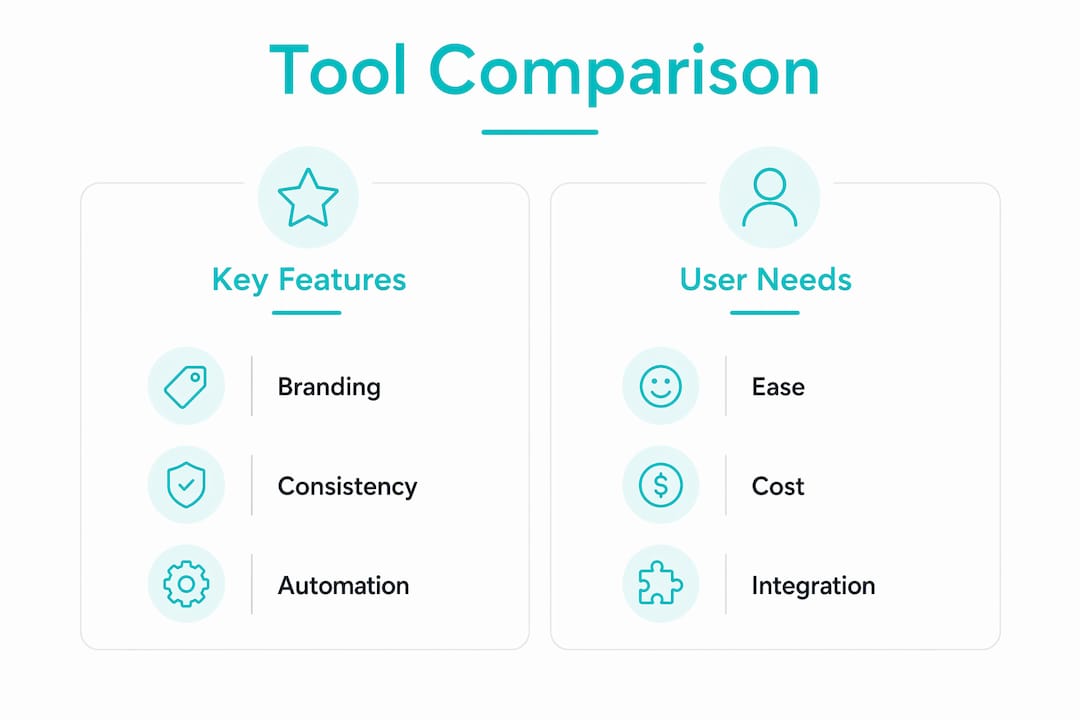
The comparison above was built by evaluating each platform against the specific demands of serialized production: storyboard imports, recurring-cast generation, batch rendering, platform export formats, and ownership terms. Pricing models were assessed for how they scale across a full season, not just a single video.
Trial checklist — run these tests before you commit:
- Import a character profile or series bible and check whether the output reflects it.
- Generate episodes 1 and 7 from the same cast inputs and compare visual consistency.
- Export a vertical video and check whether it’s truly native or cropped from landscape.
- Read the terms of service section on commercial rights and AI-generated content ownership.
- Test batch rendering: can you queue a full season, or does each episode require manual setup?
Key Takeaways
For serialized AI video creators, the right tool is the one that keeps your cast consistent and your production pipeline moving at series scale, not clip scale.
| Point | Details |
|---|---|
| Fit beats features | Choose a tool by how well it matches your weekly production cadence and video type, not raw feature counts. |
| Episodic continuity is the key test | Run a multi-episode cast consistency check during any trial before committing to a platform. |
| Licensing matters commercially | Confirm full commercial ownership of outputs before your first public upload. |
| Template lock-in is a real risk | Tools built for one-off clips create repetitive pacing across a series; test for episode-level templating. |
| Iguanify for episodic-first workflows | Iguanify is the only tool on this list built specifically for recurring-cast, end-to-end episodic production with full content ownership. |
Why episodic-first platforms win for serialized creators
The conventional wisdom in AI video is that more features equal more power. For serialized creators, that framing is wrong. A tool with 50 templates and a stock library of a million clips still can’t solve the problem of keeping your lead character’s face, voice, and personality consistent across a 12-episode season. That’s a workflow problem, not a feature problem.
The creators who build durable faceless channels treat the series as the unit of work. They plan a show bible before they generate a single frame. They lock character profiles before episode one. They batch-produce seasons rather than scrambling for next week’s clip. The platforms that support that model produce compounding returns: each episode reinforces the last, retention builds, and the algorithm rewards consistency.
My honest read: most creators shopping for Pictory alternatives are solving the wrong problem. They’re looking for a faster clip tool when what they actually need is a series production system. The faceless drama channel model works precisely because it commits to a cast and a story arc. Switching tools mid-series because you picked the wrong one costs you more than the subscription ever would.
Actionable next steps:
- Produce one pilot episode using your chosen platform’s free trial. Import your series bible as a structured input, not a freeform prompt.
- Generate episodes 1 and 7 from the same cast profile and measure visual consistency before you publish anything.
- Run a 7-episode batch and track how long the process takes end-to-end. That number is your real production cost.
What Iguanify offers for end-to-end episodic AI production
Every alternative on this list solves part of the serialized production problem. Iguanify solves the whole thing.

From a single premise, Iguanify’s AI drama generator produces a series bible, recurring cast, episode scripts, dialogue, sound, and platform-ready vertical episodes. Your cast stays consistent from episode 1 to episode 20. You own the IP outright. No subscription, no recurring fees — just one-time credit packs for episode or season production. You can generate your show concept and cast for free before you spend anything.
For creators who’ve been patching together stock-footage tools and avatar platforms to approximate a series workflow, Iguanify replaces that entire stack with one automated pipeline. The output is ready for TikTok, YouTube Shorts, and Instagram Reels without manual resizing or post-production.
Ready to see what your series looks like? Generate your show concept and cast at no cost, then decide.
Useful sources and further reading
Research and external references used in this comparison:
- 8 Best Pictory Alternatives (2026) — ngram.com: workflow-fit analysis and stock-footage fatigue research.
- Best Pictory AI Alternatives (2026) — AITuber: faceless channel expert analysis on series-level workflows.
- 11 Best Pictory Alternatives for 2026 — HeyGen: avatar and localization differentiator breakdown.
- Pictory AI Alternatives for AI Video Generation — ImagineArt: generative B-roll and visual identity research.
- Creative studio alternatives for production experts — The Gurlz: third-party perspective on platform tradeoffs for entertainment creators.
Iguanify resources for planning your pilot:
- Fast video production guide for creators — series workflow management and pilot planning.
- AI Micro-Drama guides and episode ideas — show bible templates, creative prompts, and episodic production ideas.
- How to start a faceless drama channel with AI — step-by-step pilot and 7-episode run planning.