 IGUANIFY
Fast Video Production: A Creator’s Complete Guide

Fast video production is the process of creating publish-ready video content rapidly by combining AI-driven platforms, professional rapid editing services, and optimized workflows built for tight distribution schedules. For content creators and marketers in the United States, speed is no longer a luxury. Platforms like TikTok and YouTube reward consistent posting cadence, and audiences expect fresh content daily. Whether you need same-day video production for a live event or a repeatable system for weekly episodes, the right approach cuts production time without cutting quality. This guide covers the tools, workflows, pricing tiers, and pitfalls you need to know.
What tools enable fast video production today?
AI-driven idea-to-video platforms are the biggest shift in rapid video creation over the past two years. These platforms take a single text prompt and return a publish-ready short-form video in under 5 minutes, including script, voiceover, visuals, and captions. Long-form explainers on the same platforms typically require 10–15 minutes including review. That speed changes the math for solo creators who previously spent hours on a single clip.
Beyond AI generation, quick video editing software handles post-production for footage you shoot yourself. These tools offer template libraries, auto-captioning, and one-click resizing for multiple platforms. The goal is to remove every manual step that does not require a creative decision.

Workflow automation tools complete the stack. Platforms like Zapier automate video distribution, turning hours of manual uploading and scheduling into a set-and-forget process. That shift alone can reclaim several hours per week for a solo creator or small marketing team.
| Tool category | Primary function | Typical speed | Best use case |
|---|---|---|---|
| AI idea-to-video | Script, visuals, voice, captions | Under 5 minutes | Short-form social content |
| Template-based editors | Post-production on filmed footage | 30–90 minutes | Branded marketing clips |
| Workflow automation | Distribution and versioning | Set-and-forget | Multi-platform publishing |
| AI episodic platforms | Full episode production from script | Real-time delivery | Serialized drama and series |
- AI idea-to-video platforms remove the need for a camera, crew, or editing skills.
- Template editors work best when you already have footage and need fast post-production.
- Automation tools handle the distribution layer so you post consistently without manual effort.
- AI episodic platforms like Iguanify produce complete, character-consistent episodes from a single line of script.
Pro Tip: Build your tool stack in layers. Use an AI generator for ideation and rough output, a template editor for brand polish, and an automation tool for scheduling. Each layer handles a distinct job, and together they cover the full production cycle.
How do professional same-day video services work?
Professional rapid editing services operate on three standard tiers, each with distinct infrastructure requirements and cost implications. Understanding these tiers prevents you from ordering the wrong service under pressure.
1-hour event recap. This tier requires an on-site editor with a pre-built template. The editor cuts footage in real time during the event and delivers a polished recap before guests leave. This model works for conferences, product launches, and sports highlights. It does not work for content requiring color grading or motion graphics.
Same-day overnight. This model uses a global editing rotation. A team in one time zone hands off progress to a team in another, achieving near-continuous editing progress without any single editor working overnight. Enterprise video programs use handoffs across cities like Sydney, London, and San Diego to hit 24-hour turnaround on complex content.
24-hour rush. This is the most common professional tier for marketing teams. Talking-head videos finish in 4–6 hours; complex motion graphics require a minimum of 24 hours regardless of budget. Rush edits also simplify creative choices. Motion graphics get reduced, color grading becomes basic, and revision rounds are limited to one or two passes.
| Rush tier | Typical turnaround | Price range | Best content type |
|---|---|---|---|
| 1-hour event recap | 1–2 hours on-site | $350+ per video | Live events, sports, conferences |
| Same-day overnight | Same day to 12 hours | $350–$1,500 per video | Social reels, event highlights |
| 24-hour rush | 6–24 hours | 50–100% premium on base rate | Marketing clips, talking heads |
| Standard post-production | 3–5 business days | Base rate | Complex edits, branded series |
Rush fees run 50–100% higher than standard rates. That premium reflects the editor clearing their schedule and prioritizing your project above all others. Creators who work on retainer with a dedicated editing team avoid these surcharges entirely, because the editor allocates capacity upfront.
Pro Tip: If you regularly need fast turnaround, negotiate a retainer before you need it. A dedicated editor retainer removes rush fees and gives you a team that already knows your brand style, which cuts revision rounds significantly.
Step-by-step workflow for efficient video creation
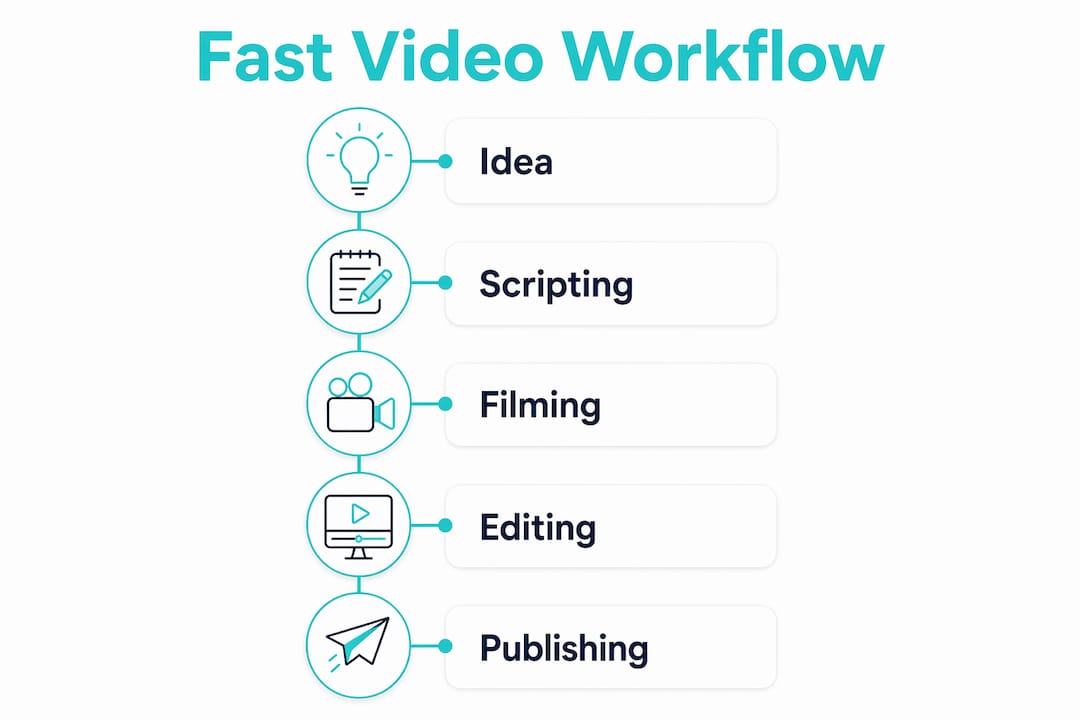
A repeatable workflow is what separates creators who consistently publish from those who scramble before every deadline. The steps below apply whether you use AI generation, filmed footage, or a mix of both.
-
Write the brief or script first (15–30 minutes). Use an AI scripting tool to generate a first draft from a topic or keyword. Review and adjust for brand voice. A clear script prevents reshoots and editing confusion downstream.
-
Batch film in one or two sessions. Batch shooting multiple videos in a single day reduces per-video cost and builds a content buffer of 2–4 videos. That buffer means you always have ready-to-publish content, even when a deadline hits unexpectedly.
-
Organize footage before you open the editor. Label clips by topic, scene, and take immediately after filming. A well-organized project folder cuts editing time by a third compared to searching through unlabeled files mid-session.
-
Edit using templates and pre-set brand assets (30–60 minutes per video). Load your brand colors, fonts, intro, and outro as a template. Apply captions automatically using your editing platform’s transcription feature. Reserve manual effort for cuts and pacing decisions only.
-
Export in multiple formats at once. Most modern editors export to 16:9, 9:16, and 1:1 simultaneously. Do this in one pass rather than re-exporting for each platform.
-
Automate distribution. Connect your editor or cloud storage to a scheduling tool via Zapier or a native integration. Set publish times for TikTok, YouTube, and Instagram in one workflow. Automating script-to-publish workflows turns video production into a repeatable, scalable process rather than a one-off sprint.
-
Review performance and adjust the next brief. Check watch time and engagement within 48 hours of publishing. Use that data to refine the next script before you batch film again.
Pro Tip: Bank a buffer of at least three finished videos before you start posting a new series. That buffer gives you room to handle a bad filming day, a technical problem, or a sudden deadline without breaking your publishing cadence.
What are common mistakes in fast-paced video projects?
Speed creates pressure, and pressure creates predictable mistakes. Knowing them in advance is the most practical form of quality control.
-
Compressing complex projects into unrealistic timeframes. Rush post-production works for straightforward content. Complex creative projects, those requiring custom motion graphics, multi-track audio, or heavy color grading, suffer measurable quality loss when forced into a same-day window. Match the tier to the content type, not to the deadline you wish you had.
-
Skipping the brief. A vague creative direction causes rework. Rework under a tight deadline is the fastest way to miss it. Write a one-page brief that covers the goal, audience, key message, and required assets before any production starts.
-
Ignoring the buffer strategy. Creators who film one video at a time live in a permanent state of urgency. Batch production removes that urgency. A 2–4 video buffer means a missed filming day does not become a missed publishing day.
-
Underestimating rush costs. Rush fees of 50–100% above the base rate are standard, not negotiable. Build that premium into your content budget from the start rather than treating it as an emergency expense.
-
Failing to scope early. Last-minute rush requests almost always trace back to a planning failure earlier in the project. Setting up tiered rush workflows and anticipating costs upfront prevents planning failures from disguising themselves as emergencies.
“Rush post-production is most effective for straightforward content. Complex, creative projects suffer quality loss when rushed. The solution is not faster editing. It is earlier planning.”
The fix for most of these mistakes is the same: plan earlier, batch more, and automate the distribution layer so your publishing schedule does not depend on a perfect production week.
Key Takeaways
Fast video production works best when AI automation, batch filming, and tiered professional services are combined into a single repeatable workflow.
| Point | Details |
|---|---|
| AI tools cut production to minutes | Idea-to-video platforms deliver publish-ready short-form clips in under 5 minutes from a single prompt. |
| Rush tiers have fixed cost premiums | Professional rush editing runs 50–100% above standard rates; retainer agreements eliminate these surcharges. |
| Batch filming is the core efficiency lever | Filming 2–4 videos in one session builds a buffer that removes deadline pressure from every future week. |
| Match content complexity to the tier | Same-day services work for talking heads and event recaps; complex motion graphics require at least 24 hours. |
| Automation handles the distribution layer | Connecting your editor to a scheduling tool via Zapier turns multi-platform publishing into a set-and-forget process. |
Where speed and craft actually meet
I’ve watched a lot of creators burn out chasing fast-paced video projects the wrong way. They treat speed as the goal and quality as the sacrifice. That framing is wrong. Speed is the byproduct of a good system, not the result of working faster.
The creators I’ve seen sustain high output over 12 months or more share one habit: they plan in batches and publish on a schedule. They are never racing a deadline because they built a buffer weeks ago. The AI tools available now make that buffer easier to build than ever. A platform like Iguanify can produce a complete, character-consistent episode from a single line of script, which means your buffer does not require a filming day at all.
The other thing I’d push back on is the assumption that professional rush services are a fallback for poor planning. Used correctly, a retainer with a dedicated editing team is a production infrastructure decision, not an emergency expense. When your editor knows your brand, your revision rounds drop, your turnaround tightens, and the 50–100% rush premium disappears entirely. That is a better return than any single tool upgrade.
Build the system first. The speed follows.
— Leonard
Iguanify makes rapid content creation practical
Producing polished video content at speed used to require a crew, an editor, and a post-production budget. Iguanify changes that equation for solo creators and small marketing teams.

Iguanify’s AI Drama Generator produces finished episodes, not raw clips, from a single line of script. Characters stay consistent across every episode, which solves the continuity problem that breaks most AI video workflows. You own the content and the IP. The platform exports directly for TikTok and YouTube, so there is no separate distribution step. If you want to build a faceless drama channel or a full serialized series without a camera or editing team, Iguanify handles the entire production pipeline. Visit Iguanify to see what your idea looks like as a finished episode.
FAQ
What is fast video production?
Fast video production is the process of creating publish-ready video content rapidly using AI platforms, optimized editing workflows, and professional rush services. The goal is to meet tight distribution schedules without sacrificing the quality needed to hold viewer attention.
How fast can AI tools produce a video?
AI idea-to-video platforms deliver publish-ready short-form clips in under 5 minutes from a single text prompt. Long-form explainers on the same platforms typically require 10–15 minutes including review.
What does same-day video production cost?
Professional same-day video editing typically costs $350 to $1,500 per video depending on complexity. Rush fees run 50–100% above standard editing rates, though retainer clients with dedicated editors generally avoid those surcharges.
What content types work best for rush editing?
Talking-head videos and event recaps are the best fit for same-day turnaround, finishing in as little as 4–6 hours. Complex projects requiring custom motion graphics or heavy color grading need a minimum of 24 hours to maintain acceptable quality.
How do I avoid rush fees on video production?
Negotiate a retainer with a dedicated editing team before you need urgent delivery. Retainer editors allocate capacity upfront, which removes rush premiums and gives you a team already familiar with your brand style.