 IGUANIFY
Instagram Reels Series: Every Episode Must Hook. Expect 25 Episode Caps

Instagram Series groups related Reels into episodic collections with a “Watch Next” button and a dedicated hub on your profile, letting creators link new or existing clips into a binge-friendly lineup. The feature is still in testing with select creators rather than rolled out to every account, so availability varies. If your account has access, though, this is the closest Instagram has come to giving vertical video a real season structure.
TL;DR:
- Instagram’s Series feature currently limits creators to about 25 episodes in some test groups, restricting long-running series.
- Creating a Series involves selecting “Series” during upload, adding episode order, and including clear episode numbering for viewer recognition.
- Successful series combine standalone hooks and consistent motifs, with clear bridges between episodes to maximize bingeability.
- Monitoring series completion rates and episode retention is crucial to refining content and boosting long-term engagement.
- Producing episodes with AI tools like Iguanify allows for consistent, rapid batch creation, supporting sustained series without burnout.
Table of Contents
- How Does Instagram’s Series Feature Work?
- How to Create and Link a Reel Series Step by Step
- Best Practices for an Engaging Instagram Series
- Growth, Engagement, and Monetization Potential
- Scaling Episodic Reels Production Without Burning Out
- Why Bingeable Structure Beats One-Off Virality
- Produce Your Reels Series Faster Without a Production Team
- Sources
How Does Instagram’s Series Feature Work?
Once you have access, a Series shows up as its own hub on your profile, separate from your regular Reels grid. Tap into it and viewers land on a dedicated page listing every episode in order, rather than scrolling your feed hoping to find part two.
The mechanics that matter for creators:
- A Watch Next button appears during and after playback, pushing viewers straight to the next linked episode instead of dumping them back into the general Reels feed.
- You can set a title, cover image, and short description for the whole Series, which is what shows up in that profile hub.
- Linking can happen at upload (selecting “Series” as you post) or after the fact, by editing an existing Reel to attach it to a collection.
- Early testing has shown per-series caps in some cases, with reporting citing limits as tight as 25 episodes in certain test groups, so don’t assume unlimited runway for a long-running drama.
TechCrunch’s earlier reporting confirmed Meta told them creators can connect multiple Reels into a series specifically to guide viewers from one part to the next, which is the whole point of the feature: keep people watching past episode one.
How to Create and Link a Reel Series Step by Step
Building your first Instagram Reels series takes a few extra taps compared to a normal upload, but the workflow is straightforward once you know where the options live.
- Start the upload as usual, then look for the Series option in the posting flow before you publish.
- Select “Series” and either create a new one or add the Reel to an existing collection you’ve already started.
- Add a title, cover image, and description for the Series itself, not just the individual clip. This is what appears in your profile’s Series hub.
- Choose or add episodes in the order you want them watched. Sequence matters here since Watch Next follows this order.
- For Reels you already published, open the overflow menu on that clip and look for “Add linked reel” or “Edit linked reel” to retroactively pull it into a Series, per the step sequence Techweez outlines.
- Label clearly. Use “Part 1,” “Part 2,” or episode numbers in your on-screen text and caption so viewers scrolling past know they’re mid-series.
- Add an end-screen cue (“Watch part 2 now”) even though the Watch Next button exists, because not every viewer notices a UI element on first watch.
Before you hit publish on any episode, run a quick pre-flight check: does the thumbnail match your other episodes visually, is the background audio consistent with the rest of the series, does the caption include a keyword someone would actually search, and does the first three seconds hook hard enough to earn the next 27?
Pro Tip: Treat your cover image like a book spine. If someone can’t tell which episode number they’re looking at from the thumbnail alone, your Series hub will look like a junk drawer instead of a lineup.
Best Practices for an Engaging Instagram Series
The single biggest mistake creators make with a Reels drama series is treating episodes like chapters that only make sense in order. That’s backwards. Every episode needs to work as a standalone hook for someone landing cold, while still planting an explicit bridge to the next installment. TechCrunch’s coverage of the linking feature makes this exact point: connecting videos alone isn’t the strategy; the strategy is designing each part to earn a click on its own merits.
A few structural habits separate series that get watched to completion from ones that lose viewers by episode two:
- Open with the hook, deliver a self-contained mini-arc, then close on a specific, spoken bridge (“but what happened next changed everything”) rather than a vague “stay tuned.”
- Keep episodes tight and consistent in length. Wild swings between a 15-second clip and a 90-second one confuse the binge rhythm.
- Reuse visual and audio motifs (the same intro sting, the same recurring cast, the same cover template) so viewers recognize a new episode instantly in their feed.
- Bake series keywords into captions and on-screen text, not just the Series description, since that’s what surfaces in search and hashtag discovery.
- If you’re stitching together older, unrelated Reels into a “series” after the fact, add a fresh intro card or caption clarifying the retcon. Followers get confused fast when old content suddenly gets renumbered.
Continuity is the hardest part to fake, especially if you’re producing solo. A recurring-cast approach that keeps the same face and setting across episodes does more for binge behavior than any caption trick.
Growth, Engagement, and Monetization Potential
Series exists because Meta wants people watching longer, not just scrolling faster. SocialMediaToday frames the entire feature as a retention and bingeability play, and the mechanics back that up: a Watch Next button removes the friction of searching for “part 2” in your caption, which keeps session time climbing.
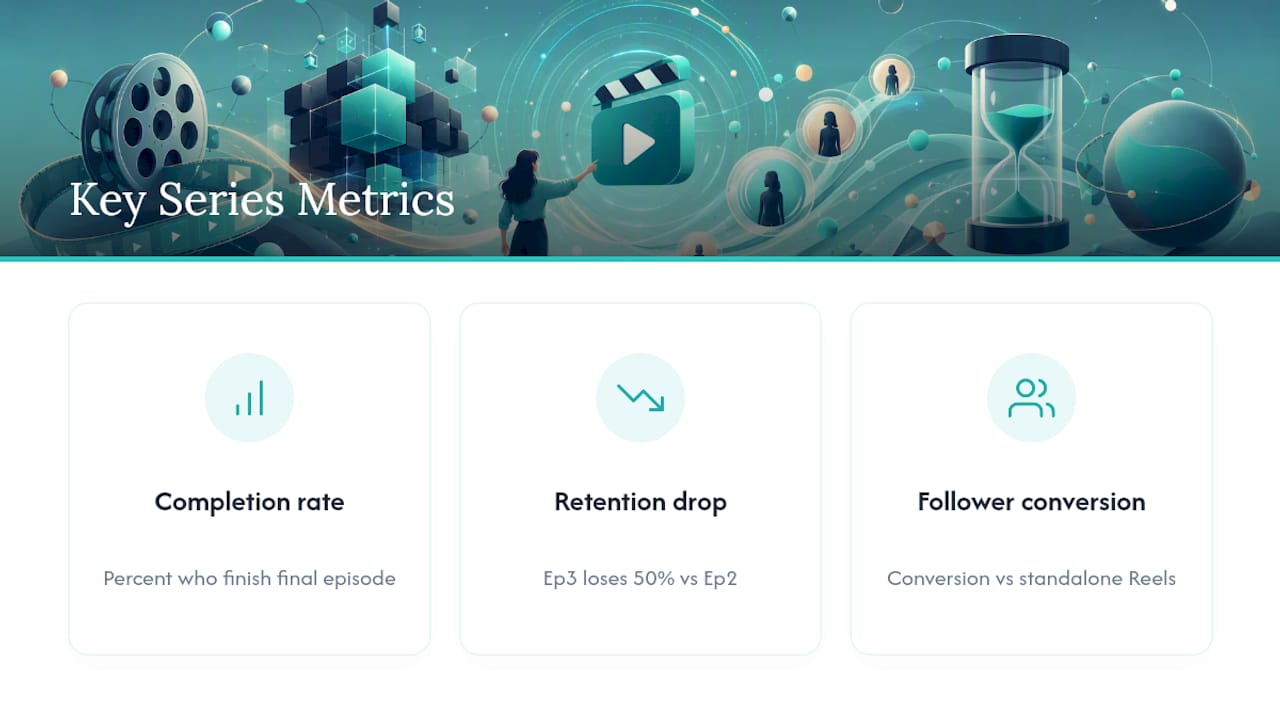
What this means for the metrics you should track: series completion rate (what percentage of viewers who start episode one make it to your final episode), per-episode retention drop-off, and follower conversion specifically off Series content versus standalone Reels. If episode three is losing half your audience compared to episode two, that’s your hook problem, not a discoverability problem.
Meta’s broader commercial motivation, tied to ad inventory and longer-form viewing, suggests creators who build genuinely episodic content now may be better positioned as monetization tools catch up. The TikTok Series monetization landscape already shows what that upside can look like on a platform further along the same path.
Scaling Episodic Reels Production Without Burning Out
Planning a great episode structure is one problem. Producing enough episodes, fast enough, without your quality collapsing by episode five, is a different one entirely. This is where most solo creators stall out on an Instagram video series: the editing backlog.
Iguanify handles the production side by turning a single line of script into a finished vertical episode, keeping the same cast and setting consistent across every installment automatically. That solves the exact continuity problem that makes DIY series look disjointed.
- Vertical, upload-ready episodes with no manual editing required
- Recurring characters that stay visually consistent from episode one through episode twenty
- Episode packs that let you batch a season’s worth of content instead of producing one clip at a time
- A workflow that fits Instagram’s linking mechanics directly: produce, export, upload, then link into your Series
For the mechanics of building a consistent episodic AI video workflow, the production side and the platform side need to move at the same speed.
Why Bingeable Structure Beats One-Off Virality
Chasing a single viral Reel is a lottery ticket. Building a series that people binge is a system, and Instagram just handed creators the navigation tools to make that system work. The creators who win here won’t be the ones with the flashiest single episode. They’ll be the ones who treated episode one as a pilot and kept the cast, cadence, and hook formula consistent long enough for Watch Next to do its job. Test small, watch your completion rate, and adjust before you scale.
— Leonard
Produce Your Reels Series Faster Without a Production Team
Iguanify is the option for creators who’ve mapped out a great Series structure but don’t have the time or crew to shoot it. Instead of spending weeks on editing between episodes, you write a single-line premise and get a finished, vertical-ready episode back, with the same cast and setting carried through every installment automatically.

That consistency is exactly what Instagram’s Watch Next feature rewards: viewers recognize your characters and setting instantly, which is what keeps completion rates climbing episode after episode. Iguanify’s approach includes:
- Vertical episodes generated straight from script, ready to upload
- Recurring cast continuity with no reshoots or lookalike casting headaches
- Episode packs for batching a full season instead of producing one clip at a time
- Full ownership of everything you produce, ready to post across Instagram, TikTok, or YouTube
If you’re ready to turn your next series idea into finished episodes instead of a backlog, check out the AI drama generator and see how quickly a premise becomes a publishable episode one.
Sources
Reporting from TechCrunch and SocialMediaToday tracks Meta’s testing rollout, while Techweez’s how-to and Instagram’s own test posts show the linking steps in practice.
- Meta tests ‘Series’ for episodic Reels on Instagram and Facebook | TechCrunch
- Meta tests connected Series Reels option for video creators | Social Media Today
- How to Create and Link a Reel Series on Instagram | Techweez