 IGUANIFY
12 No Edit Video Templates for Creators to Film Today

The formats that need little or no editing are one-take talking heads, hands-only process shots, screen-record tutorials, timelapse, text-over-B-roll, and AI-generated text-to-video. Each works because the structure does the editing for you: live narration, a fixed camera angle, auto-captions, or generated visuals arrive publish-ready. Add Iguanify’s automated episode production to that list if you want serialized content without touching a timeline at all.
TL;DR:
- Most formats that require little editing rely on static or automated visuals, such as one-take talking heads, process shots, or AI-generated videos.
- Planning scripts or shot lists in advance is essential for smooth, one-take recordings and to prevent wanderings that increase the need for edits.
- Batch production and reusing templates for intros, thumbnails, and scripts significantly speed up publishing and reduce decision fatigue.
- Good lighting and sound are critical to minimize post-production work, with natural light and backup room noise control being key factors.
- Environmental changes during filming, like moving to a different location or changing framing, serve as natural transitions, reducing the need for cuts or edits.
Table of Contents
- No Editing Video Ideas You Can Film or Generate Today
- Three Workflows That Skip the Timeline Entirely
- The Zero-Edit Talking Head: How to Nail It in One Take
- The 5-Minute Pre-Publish Checklist
- Best Practices for Lighting and Audio to Minimize Post-Production Needs
- Using Natural Transitions and the Environment to Hold Attention
- Planning and Scripting for No-Edit Video Formats
- Common Pitfalls in No-Edit Video Production (and Fixes)
- Why No-Edit Formats Are the Right Place to Start Testing Ideas
- Ship Serialized Episodes Without Touching a Timeline
- Sources
- FAQ
No Editing Video Ideas You Can Film or Generate Today
Every idea below follows the same rule: the format itself replaces the cutting, trimming, and syncing you’d normally do in post. You either lock the camera and talk, let a process fill the frame, or hand the script to a generator. Here are 12 that work across niches, with a production template for each.
1. One-Take Talking Head Pick one title before you hit record. State it out loud in the first line, deliver three beats (hook, body, call to action), and stop. No retakes, no jump cuts. This works for opinion pieces, quick tutorials summaries, and daily updates.
2. Short Serialized Micro-Drama A 60 to 90-second vertical episode with a recurring cast or a single voice-driven scene builds a following faster than one-off videos because viewers come back for the next installment. Faceless formats like this let you publish regularly without appearing on camera or doing timeline edits, and a consistent character across episodes does more for retention than any single clip.
3. Hands-Only Process Video Cooking, crafting, or repair content shot from an overhead rig needs zero face time and almost no cuts. Build a simple shot list (ingredients laid out, hands entering frame, final result) and shoot it in order so the footage plays straight through.
4. Screen-Record Tutorial Record your screen while narrating a task, drop in a few text callouts at step changes, and you have a tutorial that never touches a cutting tool. Step markers keep viewers oriented even without transitions.
5. Timelapse or Process Reveal Desk cleanups, garden builds, or painting projects compress naturally into a timelapse. Add a five-second captioned hook at the start explaining what’s about to happen, then let the sped-up footage carry the rest.
6. Text-Overlay List or Quote Video Pair a list of tips or a quote with generated B-roll or stock clips and text on screen. This is one of the easiest formats to batch because the visuals rarely need to match the words exactly, just the mood.
7. Before-and-After Reveal Workspace transformations, photo edits, or room refreshes work as a single cut from “before” to “after.” Shoot both from the same angle so the comparison reads instantly, no transition needed.
8. POV Challenge or Timed Constraint Give yourself a countdown, a budget limit, or a one-shot rule. The constraint creates its own tension and pacing, which means you don’t need editing tricks to hold attention.
9. Slideshow With Voiceover A tight script read over a slideshow of photos or graphics, with auto-captions burned in by your phone’s editor, publishes in minutes. This is a strong fit for recap or list-style content.
10. Compilation or Montage Several short clips stitched together directly in your platform’s native uploader, no external editing app required. Most platforms let you sequence clips and trim ends inside the same tool you use to post.
11. ASMR or Process Micro-Clip No voice, no music, just natural sound (chopping, typing, folding). These clips lean on genuine ambient audio, so a clean recording space matters more than any post-production polish.
12. AI-Generated Faceless Explainer Write a 50 to 150-word script, feed it into a text-to-video generator, and you get finished visuals, voice, and captions without filming anything. You can make watchable videos without filming this way, relying on a tight script and a strong AI voiceover instead of a camera.
Pro Tip: Pick two of these formats and commit to them for two weeks straight. Repeating a format is what lets you build a reusable shot list and skip the “what do I film today” paralysis.
Three Workflows That Skip the Timeline Entirely
You don’t need a new idea every day. You need a repeatable process that turns one concept into a finished video fast.
- Workflow A, one-take recording: plan your title, do a 30-second warm-up read, record the take, trim the start and end in your phone’s native editor, add auto-captions, and publish.
- Workflow B, script to AI generator: write a 50 to 150-word script, generate visuals and voice through a text-to-video tool, quality-check the output for accuracy, then publish.
- Workflow C, batch voice plus simple assembly: record several voiceovers in one sitting, pair each with stock footage, B-roll, or a screen capture using a saved template, then export both vertical and horizontal versions.
Batching works because repeatable formats with reused templates for intros, chapters, and thumbnails cut decision fatigue, not just editing time. Once your template exists, filling it in takes a fraction of the time the first version did.
For tools, you’re choosing between four categories: faceless text-to-video generators, screen-capture software (OBS or your device’s built-in recorder), phone editors with quick trim and caption features, and thumbnail template tools. Some generators now render straight to multiple aspect ratios from a single script, which matters because vertical 9:16 wins on TikTok and Instagram Reels, while 16:9 still serves YouTube search and longer-form discovery better.
The Zero-Edit Talking Head: How to Nail It in One Take
Recording a clean take without a single cut comes down to three reframes, not raw talent. First, define your purpose and title before you press record, so you know exactly where the video ends. Second, treat momentum as more valuable than perfection: pedal through the wobble instead of restarting every time you stumble. Third, hold the frame during pauses. A deliberate two-second silence looks intentional; a jump cut to hide it looks amateur.
- Run a 2-minute warm-up before recording: talk through your topic out loud, no camera.
- Use three title-check prompts: “What’s this video called?” “What’s the one thing I want them to remember?” “How do I end it?”
- If you lose your place mid-sentence, pause, breathe, and restate your last clause instead of stopping the recording.
One-take works well for opinions, tutorial summaries, and spoken micro-essays. Skip it for a detailed product teardown with multiple steps. That kind of content usually needs cutaways your one-take format can’t deliver cleanly.
The 5-Minute Pre-Publish Checklist
Before you hit publish, run five quick checks: audio clarity, a hook in the first three seconds, no dead air at the start or end, auto-captions turned on, and the right aspect ratio with a legible thumbnail.
- Listen with headphones first. Background hum kills more videos than shaky framing ever will.
- Trim dead air using your platform’s built-in editor. Quick final-pass steps beat a full re-edit almost every time.
- Turn on auto-captions or auto-transcribe through your phone’s native app or the platform uploader.
- Confirm aspect ratio matches the platform before you upload, not after.
- Publish early and watch engagement. Iterate on the next take instead of perfecting this one.
Pro Tip: Publish your first attempt at a new format even if it feels rough. You’ll learn more from real watch-time data in 24 hours than from another hour of second-guessing the take.
Best Practices for Lighting and Audio to Minimize Post-Production Needs
Good light and clean sound do more editing work than any app ever will, because they remove the problems that force you into post-production in the first place. Film facing a window during daytime, or set up one soft light source at a 45-degree angle. Avoid overhead lighting that casts shadows under your eyes; that’s the single fastest way to make a one-take video look unusable no matter how good the script is.
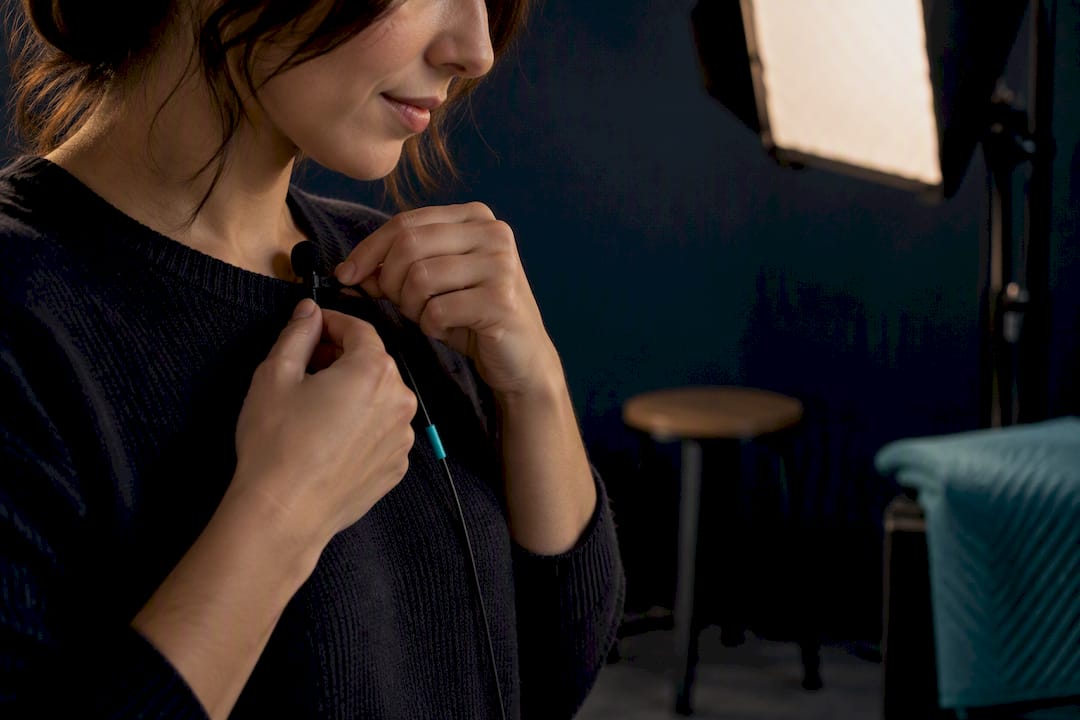
For audio, distance from your phone or camera matters more than the microphone itself. A cheap lavalier mic clipped close to your mouth beats an expensive shotgun mic six feet away. Record a five-second silence at the start of every session; if you hear a hum, hiss, or echo, fix the room before you fix the take.
Skip rooms with hard, bare walls. They bounce sound and create an echo that no amount of captioning will hide. A closet full of clothes, a rug, or even a blanket hung on a wall can quiet a space in minutes. If you’re recording hands-only or screen-capture content, background noise matters even more, since there’s no face to hold attention while viewers tune out a bad audio track.
Consistent light and sound across episodes also matter if you’re building a series. Viewers notice when episode three sounds different from episode one, and that inconsistency reads as amateur even when your content is strong.
Using Natural Transitions and the Environment to Hold Attention
You don’t need a cut to change the visual. You need to change what’s happening in front of the camera. Walking from one room to another, turning to face a different light source, or picking up a new object all reset the viewer’s attention the same way an edit would, without you touching a timeline.
This works because changing visuals every few seconds is what actually keeps short-form audiences watching, not the cut itself. A cut is just one way to change what’s on screen. Movement, a new prop, or a shift in your framing accomplishes the same goal live.
Plan two or three environmental beats into your script before you record. If you’re doing a hands-only recipe video, that might mean moving from the ingredients on the counter to the pan on the stove to the plated dish. If you’re doing a talking head, it might mean starting seated and standing up for your call to action. Each shift acts as a natural chapter break.

Outdoor settings give you free transitions too. Walking while you talk, changing direction at a corner, or letting a passing car or person cross the frame all add visual variety without a single edit. The environment becomes your editor.
Avoid overusing this technique in a single video. Two or three transitions per minute is enough. More than that, and the constant movement starts to feel chaotic instead of dynamic, which defeats the purpose of choosing a no-edit format in the first place.
Planning and Scripting for No-Edit Video Formats
The script is where you do your editing, before you ever press record. For a one-take talking head, write your hook as the literal first sentence, not a warm-up line. Viewers decide whether to keep watching in the first three seconds, and a slow build wastes that window.
Structure every script in three parts: the hook, the body, and the close. The hook states what the video is about or promises a specific payoff. The body delivers one clear idea, not three. The close either summarizes the takeaway or points to a next step. Trying to cram multiple ideas into one no-edit video is the fastest way to end up needing a cut you didn’t plan for.
For process or hands-only videos, write a shot list instead of a script. List each physical action in order: ingredients out, first cut, mixing, plating. That list becomes your recording order and eliminates the guesswork that leads to reshoots.
For AI-generated videos, your script is the entire production. Keep it between 50 and 150 words, write in plain, spoken language rather than formal writing, and read it aloud before generating anything. If it sounds stiff read aloud, it will sound stiff coming from a generated voice too.
Batch your scripts. Write five scripts in one sitting using the same three-part structure, and you’ll record or generate five videos in a fraction of the time it takes to write and shoot one at a time.
Common Pitfalls in No-Edit Video Production (and Fixes)
The most common mistake is treating “no edit” as “no plan.” A one-take video without a script wanders, and wandering is exactly what makes a viewer scroll away. Fix: write your three beats before you record, every time, even for a 30-second video.
The second pitfall is poor audio that forces you into editing anyway. If you have to mute a section, add music to cover hum, or re-record because of an echo, you’ve lost the time savings the format was supposed to give you. Fix: test your recording space once, save the settings, and reuse them.
Third, creators often over-rely on AI-generated visuals without checking them. Agentic text-to-video pipelines remove the timeline entirely but still require human quality checks for accuracy and pacing, and skipping that check produces generic filler that viewers recognize instantly. Fix: watch the full generated output before publishing, every time, no exceptions.
Fourth, static framing kills retention on formats that don’t naturally change visuals, like a talking head shot from one angle for three minutes straight. Fix: use the environment to shift the frame every 20 to 30 seconds, even slightly.
Finally, inconsistent posting undermines the whole point of choosing low-effort formats. If a format takes ten minutes to produce, the goal is frequency. Publish weekly at minimum, or the format isn’t earning its keep.
Why No-Edit Formats Are the Right Place to Start Testing Ideas
Speed beats polish when you’re testing what actually resonates. Publish a dozen no-edit variants, watch which ones hold attention, and only then invest heavier production into the winners. Short serialized formats, whether hands-only series or micro-dramas, scale a following with almost no overhead. Iguanify fits naturally at that next stage: once a concept proves itself, its automated production keeps characters and continuity consistent across episodes without you touching a manual edit.
— Leonard
Ship Serialized Episodes Without Touching a Timeline
Iguanify turns a single script into a fully produced, publish-ready episode, complete with consistent recurring characters across every installment, which is the exact continuity problem that trips up most AI video tools. If you’ve been testing faceless concepts and found one that’s working, this is the direct path to scaling it into a series instead of reshooting one-off clips forever.

Creators launching a serialized or faceless drama, and producers who want episode-to-episode consistency without a production team, are the clearest fit. You write the premise, the platform handles the script, cast, dialogue, sound, and delivery, and you own the finished content outright. A single Standard episode runs $34.99 one time, no subscription, so you can test a concept without committing to a recurring cost. If you’re building out a full series instead of a single episode, the AI micro-drama generator is built specifically for episodic, serialized short formats. Start with your premise on the drama generator page and see what a produced episode looks like before you decide how far to take it.
Sources
For more on filming without your face, the format breakdowns at Teleprompter.com cover ten approaches in depth. For the one-take speaking technique itself, Modern Creator’s breakdown walks through the three reframes step by step. If you want a deeper look at direct-to-camera storytelling technique, Slate Takes covers real-time presentation methods worth studying.
- Teleprompter
- How to make YouTube videos without filming (2026) — Adwave
- Speak like this to make YouTube videos with zero editing — Modern Creator
- YouTube video ideas for without showing face — VueReka
FAQ
What Are Some Good No-Edit Video Ideas?
The strongest options are one-take talking heads, hands-only process videos, screen-record tutorials, timelapse reveals, text-overlay list videos, and AI-generated faceless explainers. Each works because the format itself replaces the cutting tool and supplies the pacing and visual variety viewers expect.
Can You Make Money on YouTube Without Filming Yourself?
Yes. Faceless formats like text-to-video explainers, screen recordings, and stock-footage compilations can build a monetizable channel because you can make watchable videos relying on a script, generated visuals, and a voiceover instead of a camera. Income depends on consistency and niche, not on appearing on screen. Serialized formats built for retention, like the micro-dramas Iguanify produces, tend to build a following faster than one-off uploads.
What Is the 3:2:1 Rule in Video Editing?
There’s no single, widely agreed definition of a “3:2:1 rule” in video editing, and it isn’t a standard term across major editing guides. If you’ve seen it referenced, it’s likely a creator-specific shorthand rather than an industry convention, so treat any claimed definition with caution.
What Are Some Cool Editing Ideas for Videos That Still Need No Timeline Work?
Text overlays on generated B-roll, before-and-after reveals shot from a fixed angle, and timelapse builds all read as polished without a single cut. Changing your visual every few seconds, whether through movement, a new prop, or a location shift, does the same job a cut would do.
How Much Does Iguanify Cost for a Single Episode?
A Standard episode or Pilot costs $34.99 one time, with no subscription required. Pricing for Season, Studio, Slate, and Commissioned production packages is available directly on the site.