 IGUANIFY
Publish Episodes to TikTok With a 3–5 Episode Batch for Creators
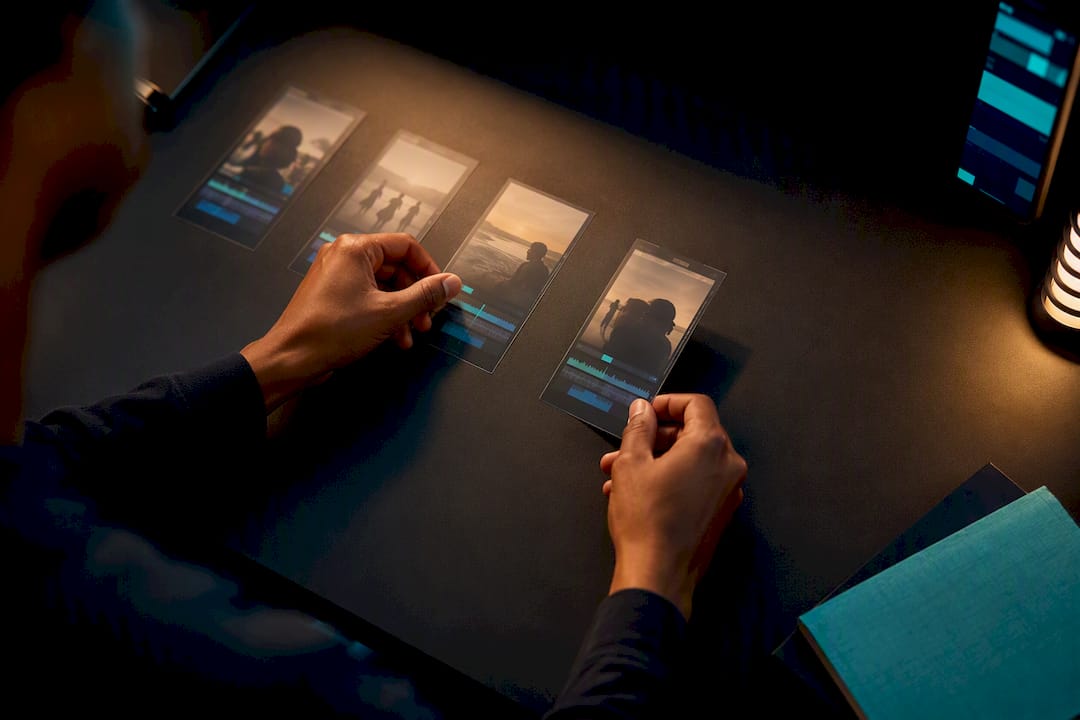
Publish it: export a captioned vertical draft, set a cover image, and push it live or into TikTok’s native scheduler as part of a 3 to 5 episode batch. Post the first one now rather than waiting for it to feel finished. Everything after that first upload, from batching to A/B testing, is where the real growth work happens.
TL;DR:
- Batch at least three to five episodes before publishing to create a buffer against slow edits, sick days, or unexpected interruptions.
- Reformat videos to vertical 9:16 with a minimum resolution of 1080x1920 to ensure proper display and engagement on TikTok.
- Use fast hooks within the first three seconds, craft loopable endings, and incorporate trending native sounds to improve video reach.
- Post from a single native TikTok account until volume exceeds manageable levels, then expand to multiple accounts testing different niches or formats.
- Prioritize watch time and completion rate metrics over view count, running short-term tests to identify only genuinely effective formats.
Table of Contents
- How Do You Publish an Episode to TikTok Step by Step?
- How Many Episodes Should You Batch Before Posting?
- What TikTok-Native Tweaks Actually Improve Reach?
- Should You Post Natively or Build a Distribution System?
- Which Metrics Tell You an Episode Is Working?
- Why Batching Beats Perfectionism for Serial Creators
- Automate the Batch, Keep the Continuity
- Sources
- FAQ
How Do You Publish an Episode to TikTok Step by Step?
Getting a single episode from your file browser to a live TikTok post takes about ten minutes once you know the order of operations. Skip a step and you’ll either get flagged for a broken layout or lose the native engagement boost TikTok gives to properly formatted posts.
- Reformat to vertical 9:16. Anything shot horizontally needs cropping or reframing before it touches TikTok; a stretched or letterboxed clip reads as low effort to both viewers and the algorithm.
- Pick your length. Most episodic content performs best between 15 and 60 seconds. Shorter clips loop faster and rack up rewatches; longer ones need a real narrative reason to hold attention that long.
- Edit for the platform, not for polish. Put your hook in the first three seconds, build toward a loopable ending, and burn in captions. Buffer’s editing research found that fast pacing and native-style captions consistently outperform smoother, over-produced edits.
- Set your in-app details before posting. Choose a cover image that reads clearly as a thumbnail, write a caption with a mix of hashtags, and decide whether duets, stitches, and comments stay open.
- Choose your posting path. Post live immediately, save the draft to finalize with a trending native sound later, or schedule it through a workflow that preserves that sound selection rather than replacing it with a generic overlay.
Once that loop feels automatic, the next question is how to stop treating each episode as its own event.
How Many Episodes Should You Batch Before Posting?
Publishing one episode at a time is how creators burn out by week three. Batch a minimum of 3 to 5 episodes before you start posting, and you buy yourself a buffer against bad weeks, sick days, and slow edits.
Cadence depends on format. Some creators post 2 to 3 times a week with slightly longer episodes; others run daily micro-episodes under 30 seconds; others release weekly and rely on longer-form snippets to sustain interest between drops. Pick the cadence your batch size can actually support, not the one that sounds most ambitious.
A few habits keep a growing episode library from turning into chaos:
- Name files with episode number and shoot date, not vague working titles.
- Keep a simple series bible, even a one-page doc, listing character names, running jokes, and visual details that need to stay consistent.
- Store recurring assets (intro graphic, outro sound, cover template) in one folder so every episode pulls from the same source.
- Run a quick QA pass, checking captions, audio sync, and cover image, before handing anything to the mobile app for final native touches.
Pro Tip: Batch record dialogue for three episodes in one sitting even if you edit them separately later. Continuity errors almost always come from re-shooting scenes days apart, not from editing mistakes.
Recording platforms like StreamYard can generate vertical clips from a longer session and hand them to the TikTok app as drafts, which keeps your batching pipeline moving without forcing you to re-edit inside three different apps.
What TikTok-Native Tweaks Actually Improve Reach?
TikTok rewards format-specific choices, not just good content. A clip that performs well on YouTube Shorts can flop on TikTok if it ignores platform habits, and Buffer’s own TikTok editing guidance treats fast hooks and loopable endings as non-negotiable rather than optional polish.
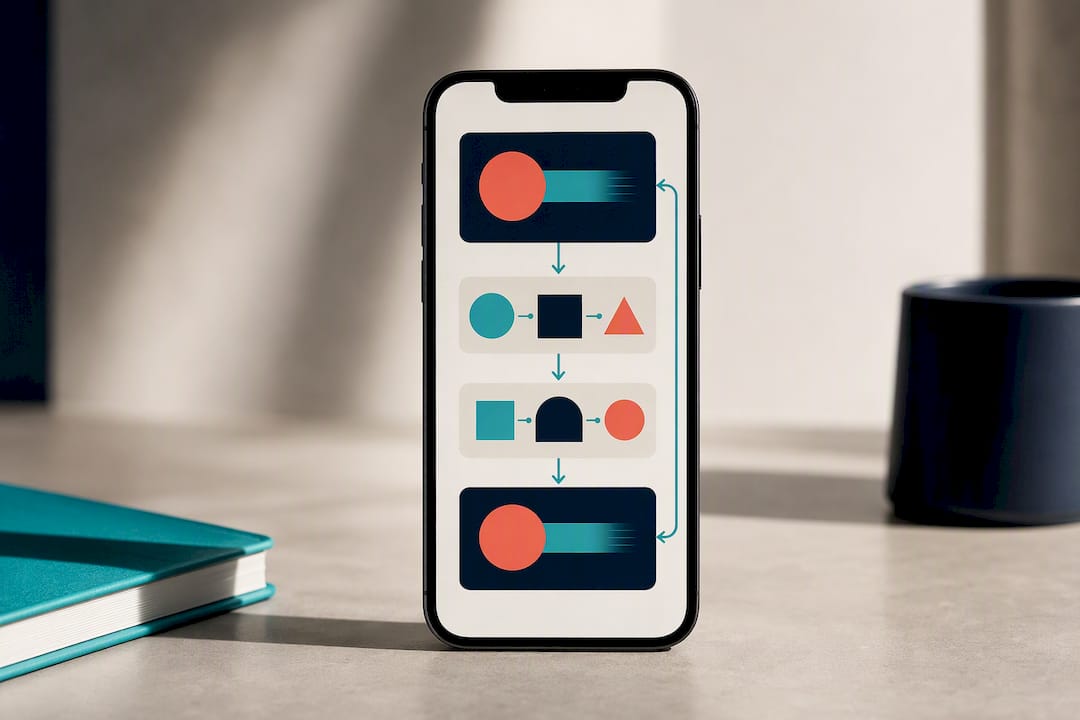
Start with the technical basics: full 9:16 vertical, minimum 1080x1920 resolution, and a cover image with clear focal points, since thumbnails often get cropped differently across feed placements.
Then layer in the creative choices that separate a forgettable episode from one people rewatch:
- Front-load the hook. If nothing happens in the first three seconds, most viewers scroll past.
- Design the ending to loop back into the opening line or shot, which quietly boosts watch time.
- Choose a trending native sound when it fits the scene, since TikTok’s editor makes this faster than importing external audio.
- Keep captions short enough to scan in under two seconds, and mix broad trending hashtags with two or three niche, series-specific tags.
On editor choice: TikTok’s built-in tools handle trimming, captioning, and cover selection well enough that most creators don’t need an external suite for that final pass. Save tools like StreamYard for generating the raw clips, and finish inside TikTok itself to keep native sound and effects intact.
One number worth remembering: Choppity’s clip generator can turn a single 60-minute recording into 20 to 40 vertical clips in under 10 minutes, which is closer to the volume episodic accounts actually need to test properly. For the exact resolution specs that hold up across devices, this breakdown of TikTok video sizing is worth bookmarking.
Should You Post Natively or Build a Distribution System?
Native posting from a single account gives you full control over sound selection, captions, and final edits right up to the moment you hit publish. It’s the right call when you’re still finding your show’s voice or when episode volume is low enough to manage by hand.
Once volume climbs, distribution becomes the actual bottleneck, not production. TokPortal’s analysis argues that creators should separate clip creation from posting entirely, testing across multiple accounts, sounds, and posting windows rather than assuming one upload schedule fits every episode.
Here’s a simple decision path for scaling that up:
- Stick with a single account and native posting until you’re consistently producing more episodes than you can post without a backlog.
- Add a second account only when you have a genuinely different niche angle or audience segment to test, not just to double your output.
- Run structured A/B tests: change one variable (hook, cover, caption length) at a time, post at least 10 to 20 clips per variant, and give each test a full week before judging results.
- Set a clear signal threshold before you start, such as a completion rate jump you’d actually act on, so you’re not just eyeballing numbers after the fact.
- Move from solo posting to a small-team workflow once QA and scheduling start eating more time than the actual editing does.
Treating your export folder as the finish line is a common mistake; TokPortal notes that real distribution work starts after the clip is done, not before.
Which Metrics Tell You an Episode Is Working?
Watch time and completion rate matter more than views for episodic content, since TikTok’s algorithm reads full watches as a stronger signal of series quality. Track saves and comments too. They correlate with people who plan to come back for episode two, which is the entire point of a series.
Run tests in tight windows. A one-week test with 10 to 20 clips gives you enough signal to spot a real pattern without waiting a month to adjust course.
A short monthly review keeps a series from drifting without you noticing; for strategies on cross-platform promotion and alternative promotional methods, see How To Grow Your Music Without TikTok | Playlist Pilot.
- Compare average watch time across your last batch against the batch before it.
- Flag episodes with unusually high profile visits or follower conversion and study what they did differently.
- Once organic numbers hold steady, consider Spark Ads on your strongest episode rather than spreading budget thin across the whole batch.
- Cross-post validated winners to Reels or Shorts only after they’ve proven themselves natively on TikTok first.
If a format stops converting profile visits into follows for two batches running, that’s your cue to pivot the hook style or episode length before you burn through more content.
Why Batching Beats Perfectionism for Serial Creators
Most creators treat every episode like a debut, polishing each one until the batch never actually ships. That instinct is backward for episodic work. The shows that build real audiences are the ones that release consistently, not the ones with the cleanest individual edit.
Continuity breaks are the most common failure point I see in early series, usually because someone reshoots a scene three days later and forgets what the character was wearing or how a line was delivered. A one-page series bible solves this faster than any editing fix.
Ownership matters more here than creators usually clock going in. If you’re building a series with recurring characters and any kind of following, you want full rights to that IP from episode one. Publish natively, batch consistently, and don’t let a hunt for the perfect cut stall a series that just needs to exist in front of an audience.
— Leonard
Automate the Batch, Keep the Continuity
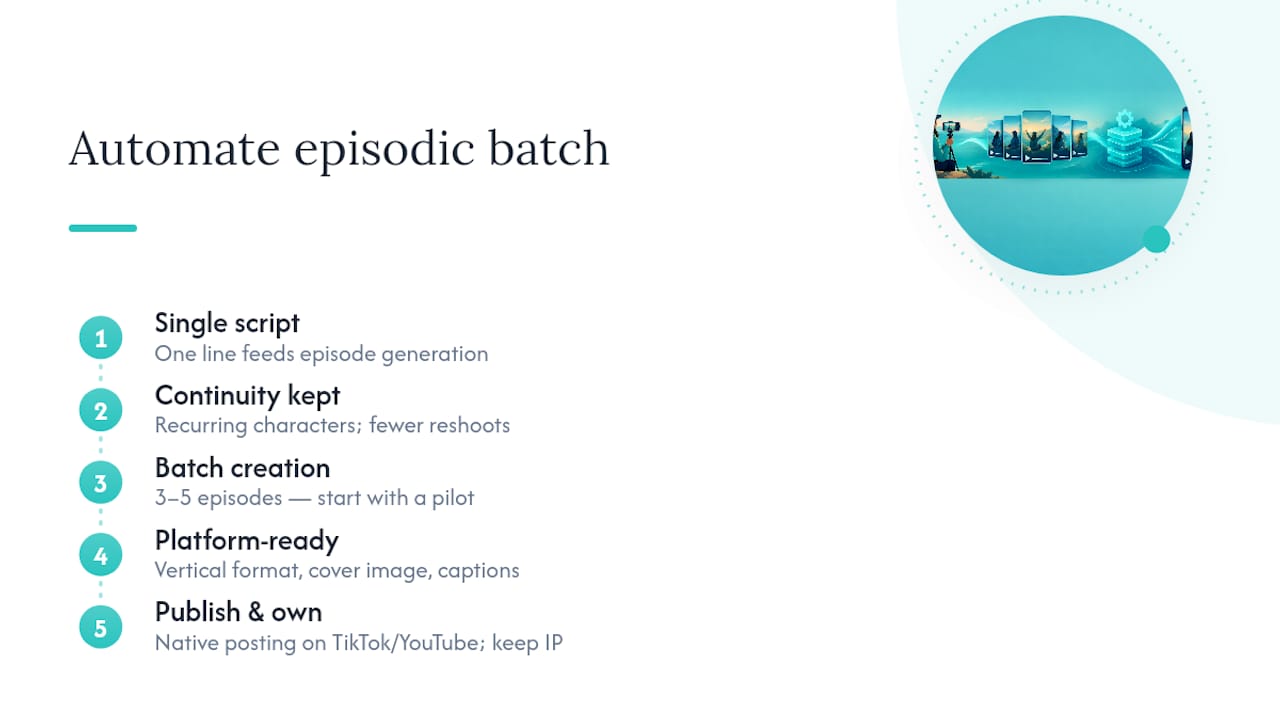
Some tools aim to remove the part of episodic publishing that causes burnout: rebuilding continuity from scratch every time you shoot. Feeding a single line of script can produce a fully realized episode with recurring characters that stay consistent across a series, reducing reshoots and the need for extensive editing.

Every output arrives already formatted for vertical platforms, so a batch built in Iguanify drops straight into the workflow covered above: cover image, captions, native posting on TikTok or YouTube. You keep full ownership of everything produced, which matters the moment a series starts gaining traction and you don’t want to renegotiate rights on your own IP.
A standard episode or pilot is available for purchase; current prices are on the pricing page. If you’re ready to build a batch instead of chasing one perfect upload, start with a pilot episode and see how fast continuity-safe production actually moves.
Sources
Buffer’s TikTok editing breakdown covers hooks, captions, and native editing in more depth. TokPortal’s distribution stack guide is useful once you’re testing across multiple accounts. StreamYard’s clip workflow and Choppity’s clip generator both address turning long recordings into batch-ready vertical clips. For scheduling mechanics specifically, see how to schedule TikTok posts for maximum reach.
- How to Edit TikTok Videos: Tips to Create Content That Stops The Scroll — Buffer
- Podcast clip distribution stack for TikTok growth — TokPortal
- How to turn podcast episodes into TikTok clips — StreamYard
- AI podcast clip generator — Choppity
FAQ
How Do I Publish an Episode to TikTok for the First Time?
Reformat your file to vertical 9:16, add burned-in captions and a hook in the first three seconds, then upload it with a cover image and caption before posting live or scheduling it. Review it once before publishing since TikTok doesn’t allow edits after the post is live.
How Many Episodes Should I Have Ready Before I Start Posting?
Aim for a batch of 3 to 5 episodes minimum before your first post, which protects your posting schedule against slow editing weeks. Creators who post one at a time tend to lose momentum once real life interrupts their editing time.
Should I Use TikTok’s Editor or an External Tool?
TikTok’s built-in editor handles trimming, captions, and cover selection well enough for most final passes, according to Buffer’s guidance. Use an external platform like StreamYard mainly for generating the raw vertical clips, then finish inside TikTok to keep native sounds intact.
What’s the Fastest Way to Produce a Batch of Episodes Without a Production Team?
Iguanify generates fully produced vertical episodes with consistent recurring characters from a single script line, which removes the reshoot and continuity problems that slow most solo creators down. A standard episode costs $34.99 one time, with no subscription required.
How Do I Know If an Episode Is Actually Working?
Watch time, completion rate, saves, and comments matter more than raw view counts for episodic series. Run a one-week test with 10 to 20 clips before judging a format change, since shorter windows can give misleading signals.