 IGUANIFY
Continuity in Video Series: Rules, Workflow, and Tools
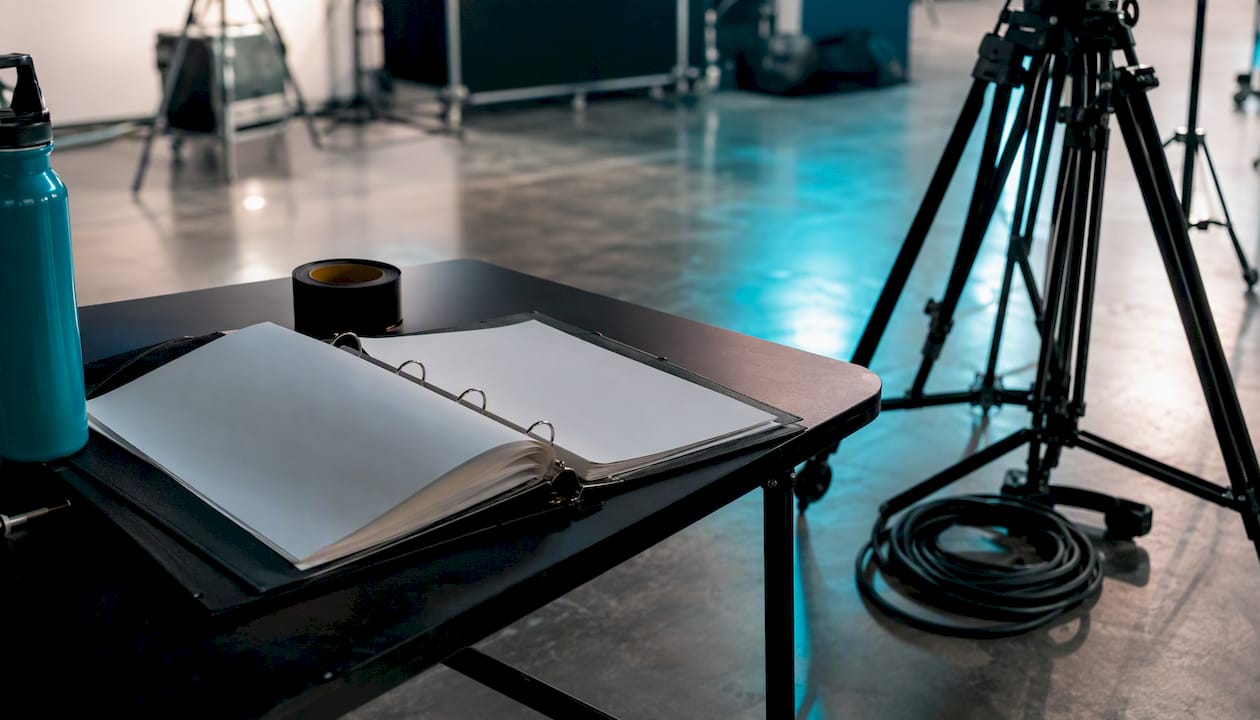
Continuity in a video series means keeping every visual and narrative element — characters, props, lighting, camera angles, and story logic — consistent across episodes so viewers never get pulled out of the story. The fastest single thing you can do before your next shoot: create a one-page visual reference sheet (your Series Bible starter) and tape it to the call sheet. That one habit prevents more continuity drift than any amount of post-production patching.
Pro Tip: Photograph your set, cast wardrobe, and prop layout at the end of every shooting day. Label the file with the scene number and date. This takes three minutes and saves hours of guesswork on your next shoot day.
Key Takeaways
Continuity in a video series is a retention problem first and a craft problem second: the Series Bible, locked references, and a consistent production workflow are what keep viewers inside the story across every episode.
| Point | Details |
|---|---|
| Define and document first | Lock your Series Bible, character references, and visual style before shooting Episode 1. |
| Use the 180-degree rule | Keep the camera on one side of the action line to preserve eyelines and screen direction across cuts. |
| Log every scene | A continuity report with reference photos per scene costs 10–15 minutes and prevents expensive reshoots. |
| Verify before each shoot day | Review the previous episode’s reference photos against the current call sheet before rolling. |
| Iguanify for volume production | Iguanify bakes Series Bible enforcement into its pipeline, keeping character and visual identity consistent across every generated episode. |
Table of Contents
- What is continuity in a video series, and why does it matter?
- Core editing rules that protect your series from drift
- How to build a production continuity workflow for episodic series
- The most common continuity errors and how to fix them
- Workflows and file management that make continuity checks routine
- How a Series Bible and automation reduce continuity drift at scale
- Your on-set continuity quick checklist
- Why continuity is really a retention problem
- Iguanify produces consistent episodes so you don’t have to manage continuity manually
- Sources
What is continuity in a video series, and why does it matter?
Continuity editing is the system of combining related shots to preserve consistent time and space for the viewer. It divides into two categories: spatial continuity and temporal continuity. Spatial continuity governs where things are in the frame relative to each other. Temporal continuity governs when things happen and how time flows between cuts.
For episodic content, both categories carry extra weight. A viewer who watches Episode 3 two weeks after Episode 1 will notice if your lead character’s jacket changed color, if the coffee mug moved from the left hand to the right, or if the apartment suddenly has a window that wasn’t there before. These aren’t just aesthetic glitches. They signal carelessness, and they erode the trust that keeps viewers coming back.
Series formatting — consistent thumbnails, intro cadence, naming conventions, and episode structure — directly improves returning-viewer behavior and raises session watch time. Continuity is the foundation that makes all of that formatting feel earned.
Spatial continuity: keeping the world coherent
Spatial continuity relies on three core devices:
- Establishing shot: A wide shot that orients the viewer to a location before cutting to closer angles. Without it, viewers lose their sense of where characters are in relation to each other.
- 180-degree rule: The camera stays on one side of an imaginary line drawn between two subjects. Cross that line and eyelines suddenly reverse, making it look like characters are facing the same direction instead of each other.
- Eyeline match: When Character A looks off-screen, the next cut shows what they’re looking at from roughly their point of view. Break this and the edit feels disjointed.
Temporal continuity: keeping time believable
Temporal continuity is about the logic of time within and between scenes:
- Match on action: Cut mid-movement (a hand reaching for a door handle, a character standing up) so the motion carries across the edit and the viewer perceives one fluid action.
- Pacing: The rhythm of cuts within a scene should match the emotional register. A tense confrontation cut at the same pace as a casual walk-and-talk will feel wrong even if viewers can’t articulate why.
- Time-of-day consistency: If a scene starts at dusk, every shot in that scene should read as dusk. A single bright-noon insert shot breaks the illusion completely.
Across a series, temporal continuity also means tracking story logic: if a character broke their arm in Episode 2, that arm needs to be in a cast in Episode 3. These are the details that build a world viewers believe in.
Core editing rules that protect your series from drift
The classic rules of continuity editing exist because they solve specific perceptual problems. Here’s a compact reference, with a short vignette showing each rule in action and a note on when breaking it is legitimate.
| Rule | What it protects | Example in the cut | Legitimate exception |
|---|---|---|---|
| 180-degree rule | Screen direction and eyeline logic | Two characters argue across a table; the camera stays on one side so they always face each other | Intentional disorientation (horror, psychological thriller) — signal it with a visible camera cross |
| Eyeline match | Viewer’s sense of what a character sees | Character looks left; cut to the object on the right side of the next frame | POV subjectivity — show the character’s face first to prime the viewer |
| Match on action | Fluid movement across a cut | Character reaches for a phone; cut mid-reach to a closer angle as the hand completes the grab | Montage sequences where time compression is the point |
| — | Avoiding jump cuts between similar angles | Two shots of the same subject must differ by a clear camera rotation angle | Jump-cut aesthetics (YouTube talking-head style), the jump must feel deliberate, not accidental |
| Establishing shot | Spatial orientation | Wide shot of the diner before cutting to the booth conversation | Disorientation as a storytelling device — withhold the establishing shot to create mystery |
| Match cut | Thematic or visual continuity across scenes | A spinning coin cuts to a spinning planet | Surrealism or dream sequences where visual logic supersedes spatial logic |
The 180-degree rule is the one most editors break accidentally rather than intentionally. On a busy set, the camera operator moves to a new position without checking the line, and the edit suddenly has two characters who appear to be looking in the same direction. The fix in the edit is to insert a neutral shot (a cutaway, a wide establishing angle) that resets the viewer’s spatial map before the offending cut.
Breaking any of these rules is fine when you signal the break clearly. A jump cut in a vlog-style confessional reads as an intentional stylistic choice. The same jump cut in a dramatic scene reads as a mistake. The difference is context and consistency.
How to build a production continuity workflow for episodic series
Production-level continuity for a series requires documentation before, during, and after each shoot. The goal is a paper trail that any crew member can pick up and use to recreate the exact conditions of the previous episode.
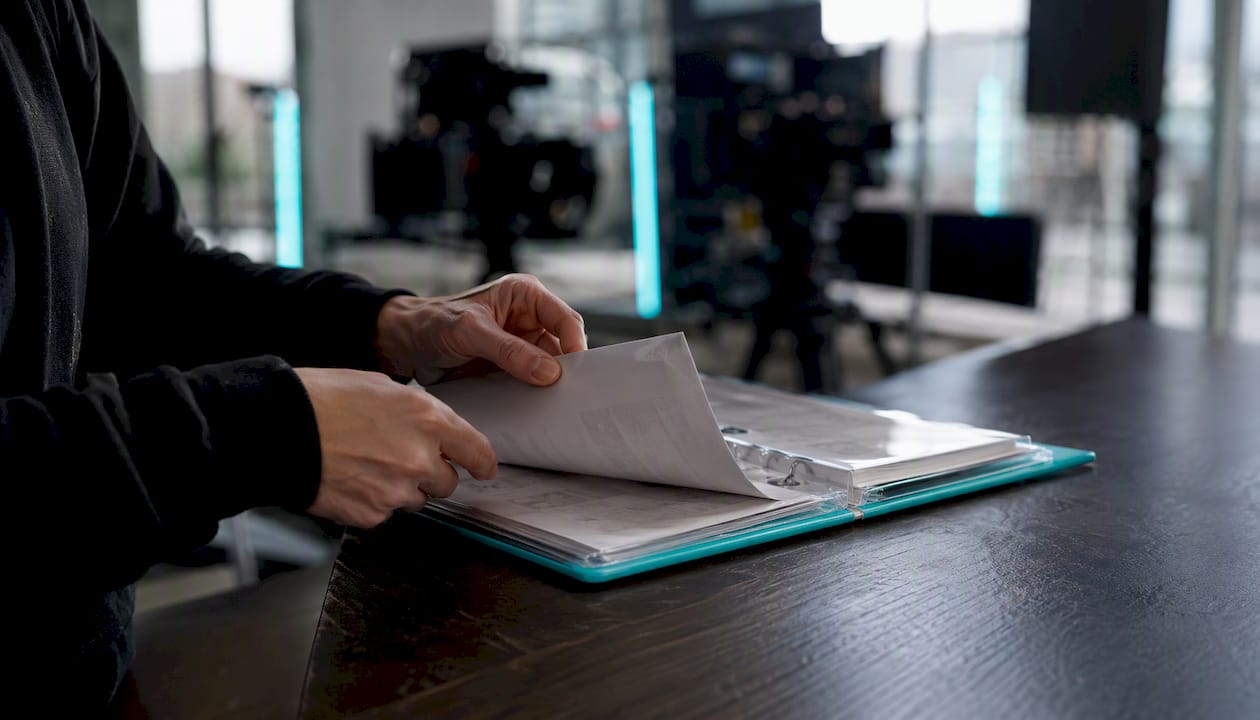
What to record on every continuity report
A standard continuity report covers:
- Camera body, lens, focal length, and aperture
- Frame rate and aspect ratio
- Props on set and their exact placement (with a reference photo)
- Wardrobe details: specific garments, accessories, and any damage or wear that must be replicated
- Makeup and hair notes, including any continuity-specific details (a bruise, a haircut, a beard length)
- Blocking: where each character stands and moves
- Eyeline targets: what each character is looking at and at what height
- Time of day and weather conditions (for exterior shoots)
- A labeled reference photo taken at the end of each scene
Visual consistency is often compromised when episodes are produced independently. Using identical reference materials and pre-production locks across episodes is the most reliable way to reduce drift and build a unified brand identity.
Series Bible storage and version control
Your Series Bible is the master reference document for the entire production. For a YouTube or short-form series, a Series Bible of 5–15 pages that covers premise, recurring characters, format conventions, and visual identity is enough to keep episodes coherent. Store it in a shared cloud folder (Google Drive, Dropbox, or Notion) with version numbers in the file name: SeriesBible_v1.2_2026-03.pdf. Every crew member gets read access. Only the showrunner or lead editor has write access.
Reference photos go in a subfolder named by episode and scene: /S01/E03/Scene_07_Props/. This naming convention makes it fast to pull the right reference on set without scrolling through hundreds of unlabeled images.
Time and cost trade-offs
Budget roughly 10–15 minutes per scene for continuity checks: photographing the set, reviewing the previous episode’s reference, and logging the report. That time investment is small compared to the cost of a reshoot. A single half-day reshoot to fix a wardrobe mismatch typically costs more in crew time and location fees than a full week of continuity logging. The math is straightforward: document now, or pay later.
The most common continuity errors and how to fix them
Most continuity problems fall into five categories. For each one, the right fix depends on how visible the error is and how far into post-production you are.
-
Prop placement mismatch: A glass moves from the left side of the table to the right between shots. Fix on set: photograph prop placement before every take. Fix in the edit: use a cutaway to a neutral shot (a reaction, a wide) to mask the jump. If the error is in a close-up with no cutaway available, a subtle crop or reframe in post can sometimes hide it.
-
Wardrobe inconsistency: A character’s shirt is tucked in one shot and untucked in the next. Fix on set: assign a wardrobe assistant to check before every take. Fix in the edit: if the shots are wide enough, color grading can sometimes reduce the visual contrast. If not, a reshoot of the offending angle is usually faster than a VFX fix.
-
Eyeline mismatch: Two characters appear to be looking in the same direction instead of at each other. Fix on set: mark eyeline targets with tape or a small object at the correct height. Fix in the edit: insert a neutral wide shot or cutaway to reset spatial logic before the mismatched cut.
-
Time-of-day inconsistency: One shot reads as golden hour, the next as midday. Fix on set: schedule all shots for a scene within the same lighting window. Fix in the edit: color grading can bring shots closer together, but a large exposure gap is hard to close without VFX work.
-
Lens or camera height mismatch: Two shots of the same subject use different focal lengths or camera heights, making the subject look physically different between cuts. Fix on set: lock camera settings in the continuity report and check before each setup. Fix in the edit: a slight crop and scale adjustment can reduce the apparent difference, but it won’t fully correct a significant focal length change.
When to reshoot vs. fix in the edit vs. accept the error
- Reshoot when the error is in a close-up, there’s no cutaway available, and the scene is plot-critical.
- Fix in the edit when a cutaway, reframe, or color grade can mask the problem without drawing attention.
- Accept the error when it’s in a background detail that most viewers won’t notice, and fixing it would cost more than the production value it adds.
Pro Tip: Work in a nondestructive editorial workflow (Adobe Premiere Pro’s nested sequences or DaVinci Resolve’s compound clips) so you can swap a corrected shot into the timeline without rebuilding the edit from scratch. Keep your original media untouched and always work on copies.
Workflows and file management that make continuity checks routine
Scaling continuity across a multi-episode production means building systems, not relying on memory. The workflow below applies whether you’re a solo creator or a small team.
Tool categories you need
- Asset repository: A cloud folder (Google Drive, Dropbox, or Notion) with version control for the Series Bible, continuity reports, and reference photos.
- Continuity tracking: A shared spreadsheet or Notion database where each row is a scene and each column is a continuity field (props, wardrobe, camera, eyeline, reference photo link).
- Editorial QA: A marked sequence in your NLE (Premiere, Resolve, Final Cut Pro) where flagged continuity issues are color-coded for review.
- Automated visual-identity checks: Frame-comparison tooling or AI-assisted workflows that flag visual drift between episodes. Projects like canon-ai demonstrate a “verification, not generation” approach: running deterministic queries against a canonical reference to confirm that script logic and visual identity match across episodes.
A practical folder structure
/ProjectName/
  /SeriesBible/
    SeriesBible_v1.0.pdf
  /S01/
    /E01/
      /Scene_01/
        ContinuityReport_S01E01_Sc01.pdf
        Props_Reference.jpg
        Wardrobe_Reference.jpg
      /Scene_02/
        ...
    /E02/
      ...
The six-step production workflow
- Plan: Lock the Series Bible, character references, and visual style guide before shooting begins.
- Lock: Freeze camera settings, wardrobe, and prop lists per episode in the continuity report template.
- Shoot: Photograph set and wardrobe at the end of every scene. Log the report in real time.
- Verify: Before the next shoot day, review the previous episode’s reference photos against the current call sheet.
- Edit: Flag continuity issues in the NLE with color-coded markers. Resolve each one before picture lock.
- Audit: After picture lock, do a final continuity pass watching the episode back-to-back with the previous one.
For AI-assisted episodic production, this workflow maps directly onto agent-maintained Series Bible approaches that inject canonical references into generation prompts, keeping a protagonist’s visual identity stable across generated episodes. The principle is the same whether you’re shooting on a camera or generating frames with an AI model: lock the reference, verify against it, and audit before delivery.
How a Series Bible and automation reduce continuity drift at scale
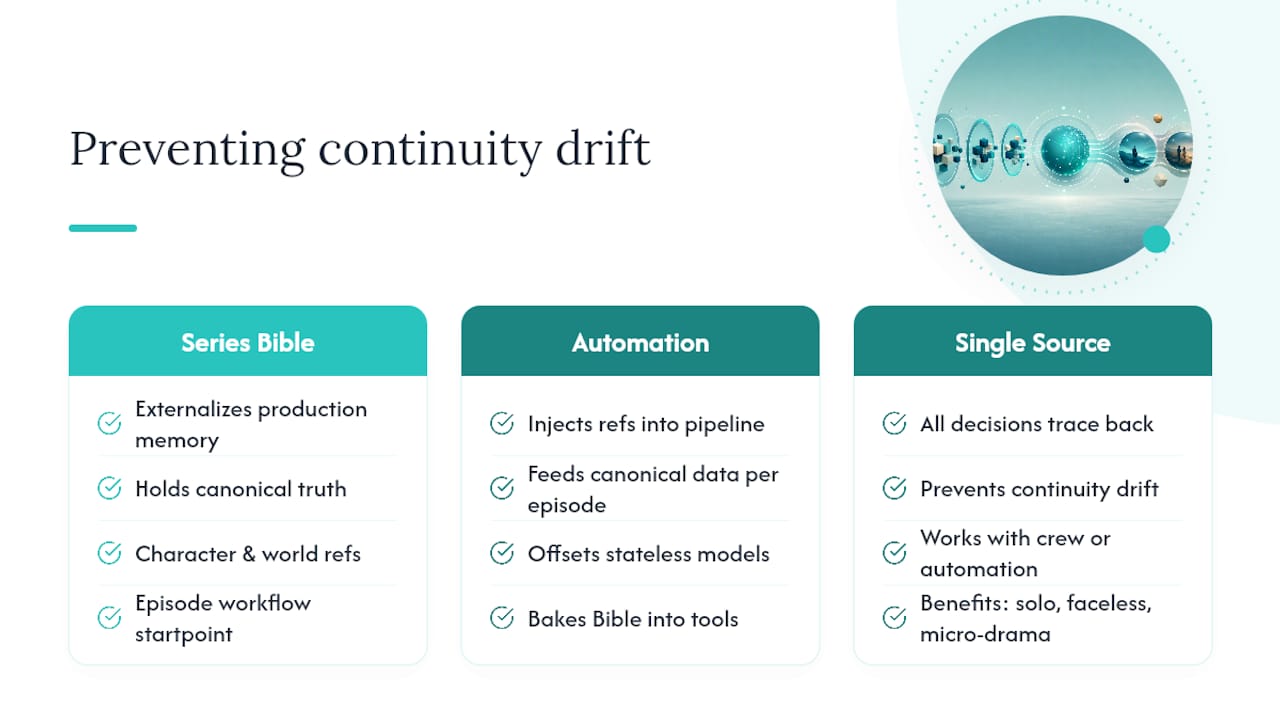
The hardest continuity problem in episodic production isn’t catching errors on set. It’s preventing drift across a long series where episodes are produced weeks or months apart, sometimes by different people. A Series Bible solves this by externalizing the production’s memory.
For solo creators and small teams running faceless channels, micro-drama series, or short-form episodic content, the Series Bible does the work that a continuity supervisor does on a traditional production. It holds the canonical truth: what the characters look like, what the world’s rules are, what happened in previous episodes. Every new episode starts from that document, not from memory.
Automation takes this further. Platforms that bake the Series Bible into their production pipeline can inject character references, visual style rules, and story-state data directly into each episode’s generation process. This is how AI-era episodic tools address the stateless nature of generative models: instead of hoping the model “remembers” what the protagonist looks like, you feed it the canonical reference every time.
Who benefits most from this approach? Solo creators producing at volume, faceless channel operators who need consistent visual identity without a crew, and micro-drama producers who want to publish on TikTok or YouTube without rebuilding their cast from scratch every episode. The AI video workflow guide at Iguanify walks through how this maps to a practical production pipeline.
The key integration principle: keep your Series Bible as the single source of truth. Whether you’re using automation or a traditional crew, every production decision should trace back to that document. When it doesn’t, drift follows.
Your on-set continuity quick checklist
Attach this to your call sheet or tape it to your camera bag. Run through it before every take.
- Wardrobe check: Confirm garments, accessories, and any continuity-specific details (wear, damage, tuck) match the reference photo from the previous episode or scene.
- Prop placement photo: Photograph all props in their starting positions before the first take of each scene.
- Camera and lens note: Log the camera body, lens, focal length, aperture, and frame rate in the continuity report.
- Eyeline confirmation: Mark eyeline targets for each character before rolling. Check that every actor knows what they’re looking at and at what height.
- Time-of-day and weather note: Record current lighting conditions and weather for exterior shots. Note any changes mid-scene.
- Continuity photo: At the end of each scene, take a wide reference photo of the full set. Label it with the episode, scene number, and date, then upload it to the shared project folder before wrapping.
Store all reference photos in the folder structure described in the workflow section. The call sheet attachment and the shared folder together mean any crew member can get up to speed on continuity requirements in under two minutes.
Why continuity is really a retention problem
Most articles about continuity treat it as a technical craft issue. Get the eyelines right, match the action, follow the 180-degree rule. That’s all true, but it misses the bigger picture.
Continuity is a retention problem. When a viewer notices a continuity error, they don’t just see a mistake. They step outside the story. They become aware they’re watching a production, not living in a world. For a single film, that’s a minor annoyance. For a series, it’s a reason to stop watching.
The creators who build loyal audiences on TikTok and YouTube understand this intuitively. They know that a viewer who finishes Episode 1 and immediately starts Episode 2 is worth far more than a viewer who watches Episode 1 and drifts away. Series planning, beat sheets, and open loops materially increase cross-episode retention and session watch time. But none of those narrative techniques work if the visual world keeps shifting under the viewer’s feet.
The other thing most guides underestimate is how much continuity work happens before the camera rolls. The Series Bible, the locked reference photos, the wardrobe and prop lists — these aren’t bureaucratic overhead. They’re the production’s memory. A crew that shoots without them is betting that everyone will remember everything correctly, across multiple shoot days, weeks apart. That bet rarely pays off.
If you’re producing at volume — multiple episodes a month, a faceless channel, a micro-drama series — the manual continuity workflow described in this article will eventually become a bottleneck. That’s when automation earns its place. Not as a replacement for craft, but as a system that holds the Series Bible steady while you focus on the story.
Iguanify produces consistent episodes so you don’t have to manage continuity manually
Every continuity problem described in this article — wardrobe drift, character inconsistency, visual identity breakdown across episodes — gets harder to manage as your output volume grows. Iguanify is built specifically for that scaling problem.

With Iguanify, your Series Bible isn’t a document you maintain separately. It’s baked into the production pipeline. Character appearances, visual style, and story state are locked into each episode’s generation process from the start, so your cast looks the same in Episode 12 as they did in Episode 1. You get finished, vertically-formatted episodes ready for TikTok, YouTube, or Instagram — no editing team, no continuity supervisor, no reshoot budget.
This is the practical payoff for solo creators and faceless channel operators: you own the IP, you control the cadence, and you don’t spend your production time chasing down reference photos or logging continuity reports. Iguanify handles the Series Bible enforcement so you can focus on the story.
See how it works on the AI drama generator page, or start with a free show concept and cast generation before you commit to a single episode.
Sources
- Continuity editing
- Building a Content Series While Maintaining Visual Consistency Across Episodes - Modern Diplomacy
- How to Plan a YouTube Series with AI: Complete Strategy Guide (2026) | Storyflow
- How to Plan a YouTube Video Series That Keeps Viewers Coming Back (2026)