 IGUANIFY
AI Video Cost for Creators: Realistic Budget Math

Expect to pay a few dollars to tens of dollars per finished short-form clip in 2026, depending on format, resolution, and how many generation attempts it takes to get a usable shot. A simple 30-second slideshow with AI narration lands at the low end fully loaded ($2–6 per clip); a generative-video-heavy 30-second short with custom voice and music runs at a higher cost ($20–50 per clip) once you account for revisions and operator time. For longer formats, a 3-minute short film typically costs around $60 fully loaded and a 5-minute piece incurs somewhat higher costs at approximately $100, again fully loaded.
Four variables drive nearly every AI video cost estimate:
- Per-second sticker price of the model you choose ($0.04–$0.75/sec depending on tier)
- Keeper-to-take ratio: plan on 1.4–1.8 generations per usable clip at median prompt adherence, and 2–4 for brand-strict shots
- Operator time: prompt engineering, review, and assembly often cost more than the raw compute fees
- Input assets: licensed music, voiceover, reference images, and upscales each add a separate line item
The volume break-even is worth knowing before you commit. Solo creators break even at roughly 5 videos per month compared to hiring a freelance editor; brand teams with strict consistency requirements hit that crossover closer to 30–50 videos per month.
Table of Contents
- What does AI video cost, phase by phase?
- Sample budgets for common project types
- How the math actually works: sticker price vs. real cost
- Pricing models and the hidden costs that blow budgets
- What actually moves the meter, and how to cut costs
- Reproducible calculations: assumptions and worksheet
- Key Takeaways
- The case for episodic AI production: an honest take
- Iguanify cuts episodic production costs from the start
- Useful sources
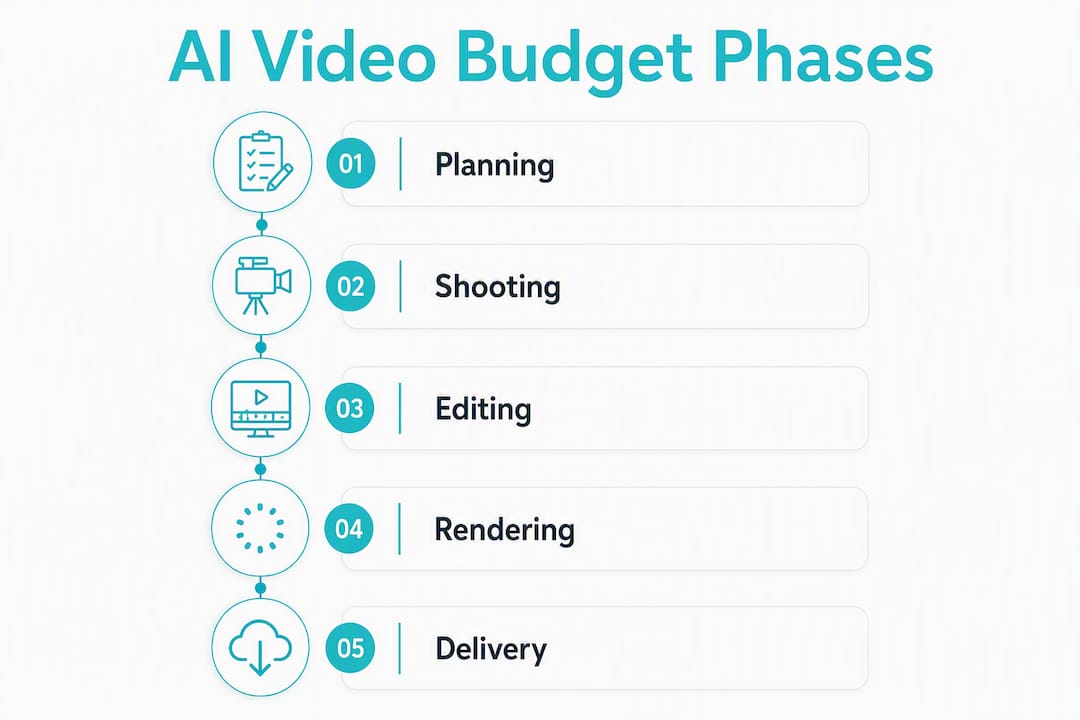
What does AI video cost, phase by phase?
Every finished video is the sum of several distinct production phases. Sticker price covers only one of them.
- Ideation and scripting: $0–$15 per video. A text-to-video prompt or a short script written with an AI writing tool costs almost nothing in compute, but 30–60 minutes of a creator’s time has real opportunity cost at US freelance rates ($25–$75/hr).
- Reference assets and storyboards: $0–$20. Stock images, reference frames, and style guides are often reused across a series, so amortize this cost over the episode count.
- Video generation (compute/credits): $1–$40 per finished clip depending on model tier, clip length, and takes. This is the line item most creators focus on, but it is rarely the largest component of the final bill once revisions and operator time are added.
- Voiceover and narration: $0–$15 per video. AI voice tools like ElevenLabs or Murf run $0.30–$1.00 per minute of generated audio on standard plans. A 60-second script costs roughly $0.50–$1.00 in compute; a dedicated AI voice over workflow adds 15–30 minutes of review time.
- Music and licensing: $0–$10 per video. Royalty-free libraries like Artlist or Epidemic Sound charge $15–$50/month for unlimited use; amortized across 10 videos, that is $1.50–$5.00 per clip. Sync-licensed tracks for commercial use cost more.
- Editing and assembly: $5–$30 per video in operator time. Even with AI generation, someone must cut clips together, align audio, and check pacing. At $25–$50/hr, 15–45 minutes of editing adds $6–$38 per video.
- Color correction and sound cleanup: $0–$10. Platforms that bundle these steps save a separate budget line; standalone tools like DaVinci Resolve are free but require operator time.
- Captions, upscales, and format derivatives: $1–$8 per video. Upscaling a clip from 720p to 4K on most platforms costs extra credits. Multi-format derivatives (vertical, square, horizontal) multiply this cost.
- Storage and delivery: $0–$5/month amortized. Cloud storage and CDN fees are small individually but accumulate at volume.
Platforms that bundle generation, audio, and delivery into a single pipeline eliminate several of these line items. That consolidation is where the real savings appear, especially for episodic work.
Sample budgets for common project types
The table below uses consistent assumptions: US operator rate of $35/hr, a 1.6x keeper-to-take ratio (median), HD resolution, and subscription costs amortized across 10 videos per month. “Human hours” means total operator time including prompting, review, and light assembly.
| Format | Estimated cost | Quality tier | Turnaround | Human hours | Billing model |
|---|---|---|---|---|---|
| 30s social short (slideshow + narration) | $2–6 | SD/HD | 1–2 hrs | 0.3 hrs | Subscription |
| 60s product demo (avatar + B-roll) | $8–25 | HD | 2–4 hrs | 1.0 hrs | Credit bundle |
| 3min short film (generative video) | $60 | HD | 4–8 hrs | 1.5 hrs | Pay-as-you-go |
| 5min episodic pilot (generative + VO) | $100 | HD/4K | 6–12 hrs | 2.0 hrs | Credit pack |
Assumptions per row:
- 30s social short: slideshow-style with AI narration, no native audio model, 1.4x take ratio. A freelance editor for the same format runs $75–$150, so AI wins at any volume above one video per month.
- 60s product demo: avatar-based with stock B-roll, separate VO, 1.6x take ratio. Freelance equivalent is $200–$500; AI breaks even at 3–4 videos per month.
- 3min short film: generative video with custom VO and licensed music, 2.0x take ratio for cinematic shots. A production company charges $1,500–$5,000 for this format; AI is cost-effective from the first video.
- 5min episodic pilot: full generative pipeline with consistent cast, VO, music, and upscaling. Traditional production runs $3,000–$10,000+; AI is the clear financial choice for independent creators at any volume.
How the math actually works: sticker price vs. real cost
The sticker price is a misleading budgeting metric. The number that matters is cost per finished shot, which is sticker price multiplied by the number of takes required to get one usable clip.
The formula:
Worked example, 30-second clip:
Budget tier ($0.06/sec):
- Compute: $0.06 × 30 = $1.80 per attempt
- At 1.6x take ratio: $1.80 × 1.6 = $2.88 in compute
- VO + music: ~$2.00
- Operator time (20 min at $35/hr): $11.67
- Fully loaded: ~$16.55
Premium tier ($0.40/sec):
- Compute: $0.40 × 30 = $12.00 per attempt
- At 1.6x take ratio: $12.00 × 1.6 = $19.20 in compute
- VO + music: ~$2.00
- Operator time (25 min at $35/hr): $14.58
- Fully loaded: ~$35.78
Notice that operator time dominates the budget tier calculation. At $0.06/sec, the compute cost is $2.88 but the human review adds $11.67. Cutting operator time in half saves more than switching to a cheaper model.
Pro Tip: Draft at lower resolution first. Confirm your take is usable before spending credits on a full-resolution render. This single habit can cut your compute spend by 30–40% on complex shots.
Pricing models and the hidden costs that blow budgets
Most AI video platforms use one of three billing structures, and each has a different risk profile.
- Pay-as-you-go: you buy credits or pay per second of generated video. Best for bursty, irregular work. The risk is that revision costs are fully variable; a difficult shot can cost 4–5x what you estimated.
- Subscription / credit bundles: a fixed monthly fee gives you a credit allotment. Best for steady, predictable volume. The trap is overprovisioning: paying for a $100/month plan when you use $30 worth of credits.
- Enterprise contracts: custom pricing with volume commitments. Relevant only when you are generating hundreds of minutes per month.
The single most common budget mistake is assuming one generation equals one usable shot. Pro workflows budget for 1.4–1.8 attempts per clip at minimum, and 2–4 for any shot requiring precise character placement, brand colors, or specific camera movement. Build that multiplier into every estimate before you commit to a billing tier.
Hidden costs that regularly catch creators off guard:
- Revision tax: each failed generation costs real credits. A 2.0x take ratio doubles your compute line.
- Upscale fees: most platforms charge extra credits to render at 4K. Budget this separately.
- Native audio premiums: models with built-in audio generation cost significantly more per second than text-to-video-only models.
- Storage and export fees: some platforms charge for cloud storage beyond a free tier or for high-resolution exports.
- Multi-format derivatives: producing vertical, square, and horizontal versions of the same clip can triple your generation cost if you treat each as a separate render.
- Operator opportunity cost: prompt engineering and iterative review frequently cost 3–4x more than the API fees themselves unless you automate the pipeline.
What actually moves the meter, and how to cut costs
Keeper-to-take discipline is the highest-leverage cost control you have. Every percentage point improvement in your take ratio reduces both compute spend and operator time simultaneously.
Practical levers, ranked by impact:
- Lock your reference frames early. Consistent character and scene references reduce failed generations. For episodic work, a stable cast reference cuts re-prompting cycles dramatically.
- Script to camera moves. Vague prompts produce unpredictable motion. Specific prompts (“slow push in, subject centered, neutral background”) generate usable clips faster.
- Draft-first workflow. Generate at 480p or 720p to confirm composition and motion before rendering at full resolution. This is the most reliable way to reduce AI video editing cost without sacrificing final quality.
- Batch generation. Queue similar shots together. Most platforms process batches more efficiently, and you can review them in a single session rather than interrupting your workflow repeatedly.
- Reuse assets and templates. A well-built style template amortizes its creation cost across every video in a series. The second episode costs less than the first.
- Separate VO from generation. Native audio models cost more per second. For most content types, generating video-only and adding AI voiceover separately is cheaper and gives you more control.
- Reconcile your subscription monthly. If you are consistently using less than 70% of your credit allotment, downgrade. Overprovisioned subscriptions are a silent budget drain.
For faceless channel operators, calculate your break-even before scaling: divide your fully-loaded cost per finished minute by your projected revenue per mille (RPM) plus affiliate income. If the math does not work at your current volume, more videos will not fix it.
Pro Tip: When operator hours consistently exceed compute costs, it is time to evaluate a consolidated pipeline or a platform that automates continuity and assembly. The AI video workflow that saves the most money long-term is the one that removes human review loops, not just the one with the lowest per-second rate.

Reproducible calculations: assumptions and worksheet
These are the assumptions behind every estimate in this article. Copy them into your own spreadsheet and adjust the variables in bold to model your project.
| Input | Default value | Notes |
|---|---|---|
| Operator rate | $35/hr | US mid-market freelance rate for video review/editing |
| Budget-tier compute | $0.06/sec | Entry-level text-to-video models |
| Premium-tier compute | $0.40/sec | High-fidelity generative models with HD output |
| Keeper-to-take ratio | 1.6x | Median across standard prompts; use 2.0–4.0x for brand-strict shots |
| VO cost | $0.75/min of audio | Mid-tier AI voice platform, standard plan |
| Music (amortized) | — | $30/month library ÷ 10 videos |
| Subscription amortization | ÷ 10 videos/month | Adjust to your actual monthly output |
| Resolution upscale | +$1.50/clip | Typical HD-to-4K upscale credit cost |
Fully-loaded cost per finished clip formula:
(price/sec × clip_seconds × avg_takes) + VO_cost + music_cost + (operator_rate × operator_minutes / 60) + upscale_cost
Sensitivity note: operator time is the most volatile input. Cutting review time from 30 minutes to 15 minutes per clip saves $8.75 at a $35/hr rate, which exceeds the entire compute cost at budget-tier pricing. Automating the review and assembly loop, rather than optimizing the per-second rate, is where the biggest efficiency gains live.
To model your own rates: replace the operator rate with your actual hourly cost (or your own time valued at your freelance rate), plug in the per-second price from your platform’s current pricing page, and adjust the keeper-to-take ratio based on your recent generation logs.
Key Takeaways
AI video production pricing in 2026 is primarily driven by the keeper-to-take multiplier and operator time, not the per-second sticker rate.
| Point | Details |
|---|---|
| Real cost is 3–4x sticker price | Fully-loaded per-clip cost includes revisions, operator time, and input assets — not just compute. |
| Keeper ratio is the top lever | A 1.6x take ratio at $0.06/sec costs less than a 2.0x ratio at $0.04/sec once operator time is added. |
| Volume break-even matters | Solo creators break even vs. a freelance editor at roughly 5 videos per month; brand teams need 30–50/month. |
| Draft-first saves 30–40% | Rendering at low resolution to confirm takes before full-resolution output cuts compute spend significantly. |
| Iguanify reduces operator hours | Automated continuity and end-to-end episodic pipelines eliminate re-prompting cycles and lower per-episode cost. |
The case for episodic AI production: an honest take
The conversation around AI video cost tends to fixate on per-second rates, which is the wrong unit for anyone producing serialized content. If you are building a faceless drama channel or a branded episodic series, your real cost driver is continuity failure: the hours spent re-prompting because your lead character’s face shifted between episodes, or because the color grade drifted between scenes.
That problem does not show up in any per-second calculator. It shows up in your operator hours log at the end of the month, when you realize you spent 12 hours fixing consistency issues that a well-structured pipeline would have prevented entirely. The creators who are genuinely profitable with AI video at scale are not the ones who found the cheapest model. They are the ones who built or adopted a workflow that preserves stylistic continuity across episodes and reduces the review loop to a quality check rather than a repair session.
The honest ceiling for current AI video quality is also worth stating plainly. For social-first short-form content, the output is genuinely competitive with mid-tier human production. For cinematic work requiring precise emotional performance or complex multi-character interaction, human direction still produces better results per dollar at low volumes. The financial case for AI is strongest when producing at volume, on a consistent format, with a repeatable style. That is exactly the profile of an episodic creator.
One more thing: the break-even calculation for faceless channels is not optional math. Run it before you scale. A channel producing 20 videos per month at $40 fully loaded per video needs $800/month in revenue just to cover production. At a $3 RPM, that requires 267,000 monthly views. Know your number before you commit to the volume.
Iguanify cuts episodic production costs from the start
Producing a serialized drama series with a patchwork of single-clip tools means paying the continuity tax on every episode: re-prompting your cast, re-matching your color grade, and rebuilding your scene context from scratch. That operator overhead is where most episodic budgets quietly collapse.
Iguanify is built to eliminate exactly that cost. The platform automates the full episodic pipeline from a single script premise, maintaining consistent characters across every episode without manual re-prompting. You get scriptwriting, cast generation, dialogue, sound, and a publish-ready vertical episode delivered as a single production unit. No editing team required, no continuity repair sessions, and no per-second billing surprises.


Credit-based episode packs give you predictable per-episode costs before you commit, and you own the IP outright. For creators building a channel at volume, that combination of continuity automation and fixed-cost production is the most direct path to a profitable per-episode budget. Generate your show concept and cast for free, then see the AI drama generator in action before you spend a dollar.
Useful sources
These are the primary sources used to build the estimates and methodology in this article. Figures marked as estimates should be verified against current vendor pricing pages before finalizing your budget.
- What AI Video Really Costs in 2026 (AI Video Sensei) — Practical draft-first workflow advice and high-level pricing tier guidance; useful for cost-cutting tactics.