 IGUANIFY
CapCut Alternatives for Episodic Creators: Automated Production

For automated episodic production, Iguanify is the clearest choice. It generates complete drama episodes from a single script line, keeps your cast consistent across every episode, and hands you full ownership of the finished content. The other tools below each solve a narrower piece of the puzzle.
Quick shortlist by job-to-be-done:
- Automated episodic production (script to platform-ready episode): Iguanify. Full pipeline, recurring cast, one-time credit pricing, creator owns the IP.
- AI text-to-video and cinematic variation: Runway (RunwayML). Strong for generating visual variations; no native series-bible or cast persistence.
- Transcript-driven editing (podcast/interview footage): Descript. Edit by editing the transcript, not the timeline. Best for repurposing existing footage.
- Desktop screen-record + text-based editing (secure, US-based): Camtasia Suite. Professional-grade, privacy-conscious, desktop-first.
- AI avatar-led explainer episodes: Synthesia. Consistent avatar presenters, but limited to presenter-style formats.
- Blog-to-video / social clip repurposing: Lumen5. Template-driven, fast for marketing teams; not built for serialized drama.
Table of Contents
- How do these CapCut alternatives compare for episodic series?
- How do you choose the right alternative for serialized content?
- Why episodic creators outgrow mobile editors like CapCut
- How Iguanify handles the full episodic pipeline
- Migrating from CapCut to an AI episodic workflow in 7 days
- Key Takeaways
- A creator-first perspective on picking an alternative to CapCut
- Iguanify produces your first episode, not just your first clip
- Useful sources and demos to evaluate next
How do these CapCut alternatives compare for episodic series?
| Category | Best for | Automation level | Episodic continuity | Ownership & privacy | Output formats | Pricing shape | Time to first episode | Learning curve | Enterprise security |
|---|---|---|---|---|---|---|---|---|---|
| AI episodic studio | Full drama series from script | End-to-end (script → episode) | Native cast + series bible | Creator retains full rights | TikTok, YouTube, Instagram presets | One-time credits, no subscription | Real-time / same session | Low | Real-time delivery, ownership guarantee |
| AI text-to-video | Cinematic clip generation | High (text → video) | No persistent cast | Cloud-processed; check vendor ToS | MP4, some platform presets | Subscription | Minutes to hours | Medium | Enterprise tier available |
| Transcript editor | Repurposing recorded footage | Medium (text-based cuts) | No native continuity | Cloud-stored projects | MP4, SRT, captions | Subscription | Hours | Low–Medium | SOC2 certified |
| Desktop pro suite | Screen recording + pro editing | Low (manual timeline) | None native | Local processing option | MP4, MOV, platform presets | One-time or subscription | Hours–days | Medium–High | Enterprise-grade, US-based |
| AI avatar platform | Presenter-style explainer episodes | High (script → avatar video) | Consistent avatar only | Cloud-processed | MP4, platform exports | Subscription (per-minute or seat) | Minutes | Low | SOC2, SAML available |
| Blog-to-video tool | Marketing clips from articles | Medium (template-driven) | No continuity | Cloud-processed | MP4, social presets | Subscription | Minutes | Low | Standard SaaS |
| Client-side browser editor | Privacy-first local editing | Low (manual) | None | 100% local, no uploads | MP4, WebCodecs output | Free / open source | Hours | Medium | No cloud exposure |
Use-case callouts:
- Variation volume at scale: AI text-to-video tools generate many visual takes from one prompt, but batch variation generation requires manual re-prompting between episodes without a series bible.
- Script-to-episode automation: Only platforms with native series-bible and cast-persistence support true episodic automation.
- Transcript-driven edits: Best for creators who already have recorded footage and want to cut by editing words, not clips.
- Pro timeline and color grade: Desktop suites remain the right call for broadcast-quality finishing work.
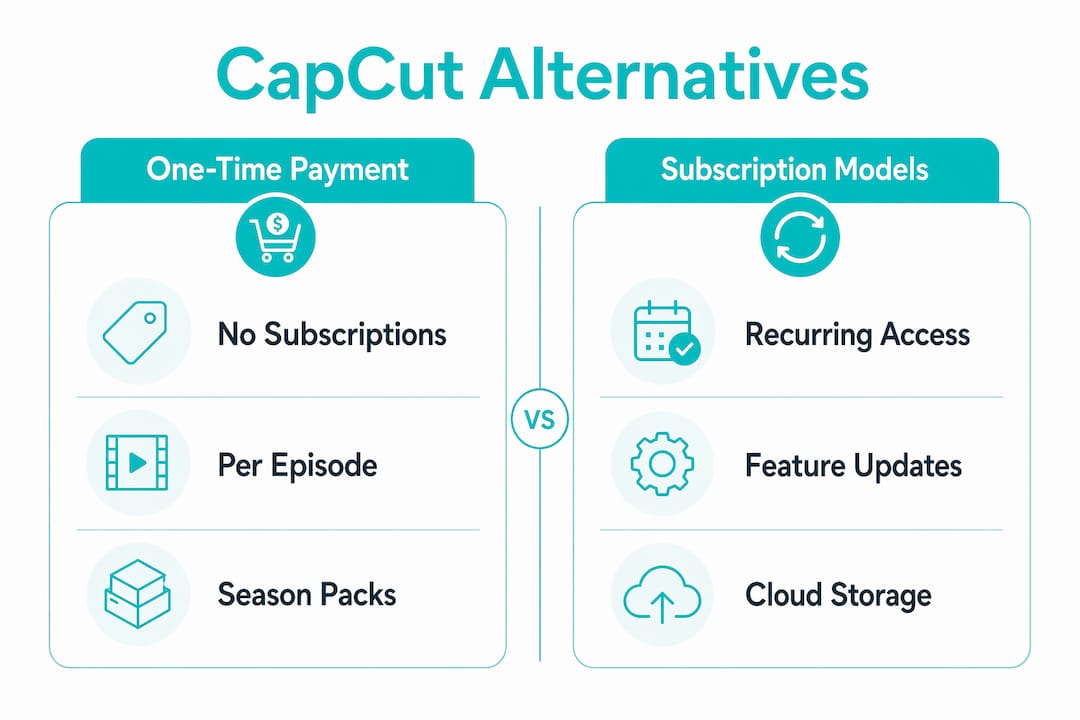
On pricing shapes: One-time credit models let you pay per episode or season with no recurring commitment. Subscription tools charge monthly or annually regardless of output volume. Per-minute pricing (common in avatar platforms) scales with render time. Free tiers exist across browser editors and open-source tools but typically exclude automation features.
How do you choose the right alternative for serialized content?
Production bottleneck analysis consistently shows that episodic creators need planning, brand control, and episode-to-episode consistency. Feature counts are a distraction. Start with these criteria:
Selection checklist:
- Does the tool automate the type of work that slows you down most (scripting, cast generation, captioning, or timeline editing)?
- Can it persist character identities, voices, and scene shells across multiple episodes?
- Who owns the output? Read the ToS before you generate a single frame.
- Where is your footage processed and stored? Local processing eliminates most data-exposure risk.
- Does it export to your target platforms without re-encoding or format conversion?
- Can your team review and request variants without rebuilding from scratch?
- What are the SLAs for support, and is there a dedicated account contact at scale?
Questions to ask in any vendor demo:
- “Do you persist character assets, voices, and visual style across episodes?”
- “Where is source footage processed and stored — on-device, US-based cloud, or offshore?”
- “Can we export a show bible or reusable asset pack?”
- “What rights do we hold over generated content, and what does your data retention policy cover?”
Red flags to walk away from:
- Ambiguous rights language (“we may use your content to improve our models”)
- No clear data retention or deletion policy
- Proprietary export formats with no standard fallback
- No demo with a real example episode you can inspect
- Missing enterprise security options (SAML, SOC2) if you’re producing for a brand or client
What to test in your trial — in this order:
- Create your first episode end-to-end and time it.
- Generate a second episode using the same cast and setting. Check for continuity drift.
- Export to your asset manager or publishing platform and verify format compatibility.
Why episodic creators outgrow mobile editors like CapCut
The bottleneck for episodic creators is not timeline speed. It is variation volume, brand continuity, and production planning — and mobile editors were never designed to solve those problems.

CapCut-style tools give you a fast, template-driven clip editor. What they do not give you is a show bible, a persistent cast, or a way to regenerate episode three with the same characters from episode one. Every new episode starts from zero. That is fine for one-off content; it breaks down fast when you are building a serialized series.
Tasks that stay manual in mobile editors:
- Duplicating story structure across episodes
- Re-keyframing character visuals for each new scene
- Manual captioning and subtitle versioning per platform
- Rebuilding cast assets when a character’s look needs to stay consistent
Tasks that automation solves:
- Batch episode generation from a script or premise
- Persistent cast and voice across an entire season
- Templated episode shells with pre-set platform formats
- Scripted scene regeneration without starting over
The right metric for judging any alternative is not which tool has the most features. It is time-to-first-episode with retained ownership. A tool that takes three days to produce one episode you do not fully own is not a step forward.
How Iguanify handles the full episodic pipeline
Iguanify automates episode production from script to platform-ready output while preserving creator ownership. That single sentence covers what most alternatives require a stack of tools to approximate.
What the platform produces from a single premise:
- Full script and series bible
- Recurring cast with consistent visual identities across every episode
- Dialogue, sound, and scene composition
- Episode poster and metadata
- Multi-platform presets for TikTok, YouTube, and Instagram
Creators retain full rights to every episode produced. Pricing runs on one-time credits for episode or season packs, with no subscription or recurring fees. You can generate your show concept and cast before purchasing, which means you validate the creative direction before spending anything.
Sample workflow:
- Enter your premise and genre.
- Review the generated script, series bible, and cast.
- Generate your pilot episode and review the output.
- Request scene variants or adjust the series bible, then produce the full season.
Pro Tip: Produce a single 60–90 second pilot episode using your show bible before committing to a full season. This lets you verify cast continuity, platform format compatibility, and output quality at minimal cost.
For faceless channel creators, the faceless drama channel guide walks through exactly how to set up an episodic series without on-camera talent.
Migrating from CapCut to an AI episodic workflow in 7 days
The best migration practice is testing one specific bottleneck with a pilot episode, not moving your entire workflow at once. Here is a practical 7-day plan:
- Day 1: Export raw assets from CapCut (clips, audio, captions). Identify your single biggest production bottleneck.
- Day 2: Write or generate your script and create your show bible. Define your cast.
- Day 3: Generate your first episode render. Do not over-edit at this stage.
- Day 4: Review the output. Request scene variants or continuity adjustments.
- Day 5: Finalize the pilot episode. Confirm ownership and export rights.
- Day 6: Create three platform-ready variants (TikTok vertical, YouTube Shorts, Instagram Reels).
- Day 7: Publish and measure watch time, retention, and completion rate.
Practical tips for a low-friction migration:
- Use consistent file naming from day one so assets are traceable across episodes.
- Test your export workflow before you commit to a full season buy.
- Verify the ownership clause in your new tool’s ToS before publishing anything monetized.
A short note on risk: keep your existing CapCut projects and channel history intact during the pilot. Do not delete or unlink monetized content while you are testing. Run the new workflow in parallel for a trial episode before making any permanent changes to your publishing setup. Professional video production workflows consistently recommend parallel testing before full migration.
Key Takeaways
For episodic creators, the right alternative to CapCut is the one that removes your specific production bottleneck while keeping you in full ownership of the content you produce.
| Point | Details |
|---|---|
| Judge by time-to-first-episode | The best metric for any alternative is how fast you produce a complete episode you fully own. |
| Continuity requires native persistence | Tools without a series bible or cast-persistence force manual rework between every episode. |
| Ownership is non-negotiable | Read the ToS before generating: ambiguous rights language is a hard disqualifier for business-grade production. |
| Pilot before you commit | Test one episode end-to-end, including export and platform upload, before buying a season pack. |
| Iguanify for full episodic automation | Iguanify covers script, cast, production, and platform-ready output in one pipeline with one-time credit pricing. |
A creator-first perspective on picking an alternative to CapCut
Most “best alternatives” lists rank tools by feature count. That is the wrong frame for episodic creators. The question is not which tool does the most things. It is which tool removes the specific bottleneck that is stopping you from publishing consistently.
For a creator building a serialized micro-drama, that bottleneck is almost always continuity and planning, not timeline editing speed. You can be fast on a mobile editor and still spend three hours per episode manually rebuilding your cast, re-captioning for each platform, and trying to make episode four look like it belongs with episode one. That is where automation-first platforms earn their place.
My recommendation: test for the bottleneck first. If your problem is variation volume or cast continuity, a mobile editor will not fix it regardless of how many AI features it adds. Prioritize ownership and automation, and preserve what already works in your current setup until the new workflow proves itself on a real episode.
Iguanify produces your first episode, not just your first clip
If you are producing serialized content and need automation, ownership, and cast continuity in one place, Iguanify is built for exactly that. You get a complete episode from a single premise, a series bible that persists your cast across every episode, and full IP ownership from the moment you generate.

No subscription. No production team required. One-time credits cover a single episode or a full season, and you can generate your show concept and cast before you spend anything.
What you get with every episode:
- Script, cast, dialogue, sound, and platform-ready output
- Consistent characters across your entire series
- TikTok, YouTube, and Instagram presets built in
- Full ownership of every frame you produce
Ready to test it? Generate your first episode and see your cast and pilot before you commit to a season.
Useful sources and demos to evaluate next
Use these to verify claims, run trials, and see example outputs before you decide:
- Iguanify AI Drama Generator — Primary product page. Check the ownership statement, review example episode outputs, and note the one-time credit pricing model.
- Iguanify blog — Practical how-tos for micro-drama production, faceless channel setup, and AI episodic workflows. Good for validating real use cases.
- Iguanify faceless drama channel guide — Step-by-step pilot planning for creators who want to launch without on-camera talent.
- Camtasia Suite — CapCut alternative overview — Covers desktop-first, security-conscious editing. Check the data-processing and ownership sections specifically.
- OpenReel Video (GitHub) — Browser-based, 100% client-side editor. Useful for understanding local processing as a privacy architecture.
- OpenCut (GitHub) — Open-source editor with local IndexedDB storage and no mandatory cloud processing. Good reference for privacy-first workflows.
- Artidor — Free, open-source browser editor. No uploads, no watermark, MIT-licensed. Test the local processing claim directly.
On each demo page, test three things: where the rights statement sits in the ToS, how long it takes to produce a pilot-length clip, and whether you can export in a format your publishing platform accepts without re-encoding.