 IGUANIFY
Best AI Poster Generator for Designers and Marketers
For campaign-driven creators who need production-ready poster assets tied to serialized content, Iguanify is the top pick. It delivers poster assets as part of a full episodic workflow, with instant output, 300 DPI print specs, and full ownership rights baked in.
Here’s the shortlist at a glance:
- Iguanify — Best for creators running episodic or campaign-driven content who need posters, scripts, and episodes produced together.
- Canva — Best for teams that want a fast, brand-kit-driven draft with Magic Media AI features inside a familiar design suite.
- Adobe Express (Firefly) — Best for marketers who need commercially safe AI poster outputs with print ordering built in.
- Microsoft Designer — Best for Microsoft 365 users who want quick social-size poster drafts without leaving their existing workflow.
- Fotor — Best for solo designers who want text-to-image generation with basic photo editing in one place.
- VistaCreate — Best for social marketers who need animated poster variants and a large template library.
- PosterMyWall — Best for event organizers who need fast promotional posters and direct print fulfillment.
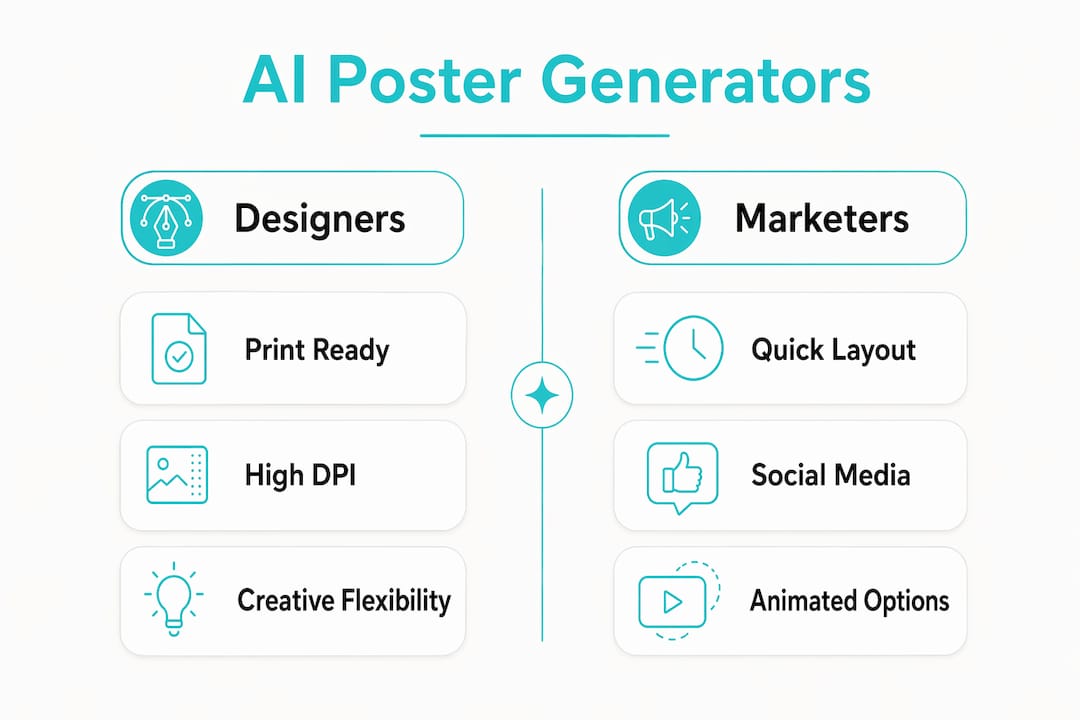
Three specs decide the choice before you open any tool: whether it exports at 300 DPI with bleed margins for print, whether it grants commercial usage rights on free or paid tiers, and whether it supports reference-image or Magic Template style transfer.
Table of Contents
- Which AI poster generator fits your needs?
- How do you make a strong AI poster fast?
- Tool-by-tool profiles: pros, cons, and best use case
- What support and community resources does each tool offer?
- How do mobile and desktop experiences compare across these tools?
- What should you know about data privacy and security?
- Iguanify produces posters as part of your full campaign workflow
- Key Takeaways
Which AI poster generator fits your needs?
The table below maps each tool to the dimensions that matter most for designers and marketers.
| Tool | Best For | Price / Free Tier | AI Features | Ease of Use | Export / Print Specs | Ownership Rights | Team & Collab | Turnaround |
|---|---|---|---|---|---|---|---|---|
| Iguanify | Episodic/campaign poster assets | Credit packs, no subscription; free concept gen | Poster gen tied to episodic workflow, full asset pipeline | Low learning curve for campaign creators | Production-ready, 300 DPI, bleed-ready | Full user ownership, no restrictions | Campaign-level asset management | Instant delivery |
| Canva | Brand-kit-driven team drafts | Free tier; Pro plan available | Magic Media text-to-image, layout suggestions | Very easy | PNG, PDF, JPG; print via Canva Print | Commercial use on paid plans | Real-time team collab | Seconds per draft |
| Adobe Express (Firefly) | Commercially safe AI posters | Free plan; Premium plan available | Firefly text-to-image, Generate Template | Easy | PDF, JPG, PNG; print (US, UK, AU, CA) | Designed to be commercially safe | Share/template collab | Seconds per draft |
| Microsoft Designer | Quick social drafts in M365 | Free with Microsoft account | DALL·E-powered image gen | Very easy | PNG, JPG | Personal and commercial use | Microsoft 365 integration | Seconds per draft |
| Fotor | Text-to-image + photo editing | Free tier; Pro plan available | AI image gen, style filters | Easy | PNG, JPG; limited print | Commercial use on paid plans | Limited | Fast |
| VistaCreate | Animated social posters | Free tier; Pro plan available | AI background removal, template AI | Easy | PNG, JPG, MP4 | Commercial use on paid plans | Brand kit, team access | Fast |
| PosterMyWall | Event promo + print fulfillment | Free tier; Premium plan available | AI layout suggestions | Very easy | JPG, PDF; direct print | Commercial use on paid plans | Team sharing | Fast |
Price callouts:
- Most tools offer a free tier with watermarked or limited exports; paid plans unlock full-resolution and commercial rights.
- Credit-based models (like Iguanify’s one-time packs) let you iterate affordably without a monthly commitment.
- Adobe Express’s free plan includes thousands of templates and Adobe Stock images.
Quick verdicts by reader profile:
- Single designer: Fotor or Adobe Express for standalone poster work with solid AI image generation.
- Social marketer: Canva or VistaCreate for speed, brand kits, and animated variants.
- Print/event organizer: PosterMyWall or Adobe Express for direct print fulfillment and PDF exports.
Roughly 80% of event marketers say promotion drives event success, which makes fast, print-ready poster output a real production requirement, not a nice extra.
How do you make a strong AI poster fast?
The fastest route: define your output size first, write a specific prompt, apply a reference image or Magic Template, then check the result at thumbnail size before exporting.
- Define your objective and audience. A festival one-sheet needs different hierarchy than a social promo square. Lock the goal before touching any tool.
- Pick your ratio and size. Portrait (4:3 or 2:3) for print and film posters; 1:1 square or 9:16 vertical for social. Standard print poster size is 11 × 17 inches.
- Choose a style or reference image. Upload a reference poster to copy its composition, typography, and color balance. Magic Template style transfer applies that visual language to your new content without copying the original.
- Write a specific prompt. Vague prompts produce generic results. Try these patterns:
- Event poster: “Minimalist concert poster, bold sans-serif title, warm amber gradient, negative space above center, date and venue at bottom.”
- Film poster: “Cinematic thriller one-sheet, lone figure silhouette, dramatic side lighting, desaturated palette, large title treatment, billing block at base.”
- Social promo: “Square social ad, product centered, clean white background, bold headline top, CTA button bottom, modern sans-serif.”
- Genre shapes composition: horror favors negative space and tension; sci-fi favors scale and dramatic lighting.
- Refine text layout and credits. Look for tools that auto-format billing blocks — manual condensed-font alignment is where amateur one-sheets show their seams.
- Export for your output. Print: 300 DPI, PDF with 1/8-inch bleed. Social: PNG or JPG at platform-native resolution.
Pro Tip: Always test your poster at thumbnail size before finalizing. If the headline and focal point collapse at feed scale, increase type size and reduce competing elements — most posters fail on social for exactly this reason.
Tool-by-tool profiles: pros, cons, and best use case
Iguanify sits in a different category from the self-serve design tools. Rather than asking you to build a poster from scratch, it generates poster assets as part of an episodic production run. You get a campaign-consistent visual identity across episodes, scripts, and promotional materials in one pass. Full ownership rights are included, and there’s no subscription to maintain. The trade-off: it’s purpose-built for serialized content, so if you need a one-off event flyer, a self-serve tool is faster.

Canva is the default choice for most marketing teams. Its Magic Media AI features sit inside a full design suite with real-time collaboration, brand kits, and a template library that covers almost every poster format. Commercial rights require a paid plan. The free tier is genuinely useful but exports carry limitations.
Adobe Express (Firefly) is the strongest pick when commercial safety is non-negotiable. Adobe states the Express poster generator is designed to be commercially safe, and the Firefly model is trained on licensed content. Print ordering is available for US desktop users. The standard poster size in Express is 11 × 17 inches, with custom resize available.
Microsoft Designer works well if your team lives in Microsoft 365. The DALL·E-powered generation is fast, the interface is clean, and there’s no extra account to manage. It’s not the deepest tool for print specs, but for social-size drafts it’s hard to beat for speed.
Fotor combines text-to-image generation with a photo editor, which is useful when your poster needs retouched photography alongside AI-generated elements. The free tier is limited; Pro unlocks higher resolution and commercial use.
VistaCreate (formerly Crello) stands out for animated poster variants. If your campaign needs both a static print version and an animated social version of the same design, VistaCreate handles both without switching tools. Brand kit support is solid on the Pro plan.
PosterMyWall is built around event promotion. Its AI layout suggestions are basic compared to Canva or Adobe, but the direct print fulfillment and large library of event-specific templates make it practical for organizers who need posters in hand quickly.
What support and community resources does each tool offer?
Canva has the deepest community of any tool here: Canva Design School, a large YouTube tutorial library, and an active user forum. Support response times on paid plans are faster than on free.
Adobe Express benefits from Adobe’s broader ecosystem. Help documentation is thorough, and Adobe’s community forums cover Express alongside Photoshop and Illustrator, so answers to edge-case questions are usually already there.
Microsoft Designer support runs through Microsoft’s standard help channels. Documentation is improving but thinner than Adobe’s or Canva’s at this stage.
Fotor and VistaCreate both offer help centers and email support. Neither has a community forum with the depth of Canva’s, but their help articles cover the most common workflows clearly.
PosterMyWall provides email and chat support, plus a library of how-to articles focused on event promotion use cases. Response times are generally prompt for paid users.
Iguanify support is focused on the episodic production workflow. Documentation covers the full pipeline from concept to poster export, and the platform’s credit-based model means you’re not locked into a support tier by subscription level.
How do mobile and desktop experiences compare across these tools?
Desktop is the stronger environment for every tool on this list when it comes to detailed poster work. Precise typography adjustments, layer management, and export settings all benefit from a larger screen and a mouse.
Canva’s mobile app is the closest to a full desktop experience of any tool here. You can build and export a complete poster on iOS or Android, though some AI features are desktop-first. Adobe Express has a capable mobile app as well, with most core features available, though Firefly text-to-image generation works best on desktop.
Microsoft Designer is primarily a web and desktop tool. The mobile experience is limited. Fotor has a mobile app that covers basic editing and AI generation, but complex poster layouts are better handled on desktop. VistaCreate and PosterMyWall both have mobile apps suited to quick edits and template selection; neither is ideal for building a poster from scratch on a phone.
Iguanify is a web-based platform. The poster asset generation happens server-side, so the output quality doesn’t depend on your device. Reviewing and downloading assets works on mobile, but the full production workflow is designed for desktop use.
What should you know about data privacy and security?
Every tool on this list processes your uploaded images and text prompts on its servers. That’s worth knowing before you upload unreleased film stills, proprietary brand assets, or client-sensitive materials.
Adobe Express operates under Adobe’s enterprise-grade privacy framework. Adobe states it does not use content you create in Express to train its AI models without consent. Canva has a clear data processing agreement available for business accounts, and its AI features operate under Canva’s privacy policy, which covers how uploaded media is handled.
Microsoft Designer falls under Microsoft’s broader privacy commitments, including compliance with SOC 2 and ISO 27001 standards. For teams already in the Microsoft ecosystem, this is a known and auditable framework.
Fotor, VistaCreate, and PosterMyWall are smaller platforms. Their privacy policies cover standard data handling, but they don’t publish the same level of enterprise compliance documentation as Adobe or Microsoft. If you’re working with sensitive client assets, review their current terms before uploading.
Iguanify grants full ownership of all content produced on the platform. Your scripts, characters, and poster assets belong to you. The platform does not claim rights to your IP, which matters when you’re building a serialized brand or a campaign with long-term commercial value.
Iguanify produces posters as part of your full campaign workflow
Most AI poster tools ask you to start from scratch every time. Iguanify works differently: your poster assets are generated alongside your episode scripts, cast, and series bible, so every piece of your campaign shares the same visual identity from day one.

For creators building serialized content for TikTok, YouTube, or Instagram, that consistency is hard to replicate with a standalone design tool. You own everything produced, there’s no subscription, and the AI drama generator delivers production-ready assets instantly.
- Production-ready poster exports at print specs, ready for social or physical distribution.
- Full ownership rights on every asset, including posters, scripts, and episode files.
- Campaign-consistent visuals tied to your recurring cast and series identity.
- One-time credit packs, no recurring fees, with free concept and cast generation before you commit.
If you’re running a one-off event flyer, any self-serve tool above will do the job. But if you’re producing a series and need your poster, your episodes, and your campaign assets to look like they came from the same production house, start your series on Iguanify.
Key Takeaways
The best AI poster generator for campaign-driven creators is Iguanify, which delivers production-ready poster assets, full ownership rights, and campaign-consistent visuals as part of an automated episodic workflow.
| Point | Details |
|---|---|
| Print specs matter | Look for 300 DPI exports and 1/8-inch bleed margins before committing to any tool for print work. |
| Commercial rights vary by tier | Most tools restrict commercial use to paid plans; confirm rights before publishing or printing. |
| Reference images beat generic prompts | Magic Template or reference-image transfer produces stronger composition and typography than text prompts alone. |
| Thumbnail test before export | Always check your poster at feed scale; headlines and focal points that collapse at small sizes need rework. |
| Iguanify for episodic campaigns | Iguanify generates poster assets inside a full production workflow, with instant delivery and full user ownership. |